Solved Gamma outbound issue on 3CX Hosted

Status
Not open for further replies.

double6jg

Bronze Partner
Basic Certified
Joined
Feb 4, 2021
Messages
73
Reaction score
9
Yesterday I configured a UK Gamma trunk on a new Hosted by 3CX instance per the instructions here -> https://www.3cx.com/docs/gamma-uk-sip-trunk/

Calls inbound work correctly but I am unable to get outbound calls to work.

An outbound rule has been created for the DEFAULT group but also with my test extension explicitly declared. The default outbound CID is set as the Gamma trunk DID. The test extension has no CID associated with it at this stage.

On attempting to make a call the handset states "calling" but there is no ring sound. The call log simply states "not answered". There is nothing in the Activity log.

While I appreciate that Gamma is "Not recommended" for Hosted by 3CX (I do understand the IP address reason) it should nevertheless be supported.

Can anyone shed any light on this?
 
Hi @double6jg

Try to make an outbound call to Gamma and leave it trying to call. Does the attempt fail after 32 seconds?
If so that means that the PBX is trying to make the call but it gets no answer from the provider. If not then you are probably getting an error which you should see it in the activity log.
To get more details you should set the logging level to verbose for the duration of testing. Once you are done then set it back to low to save resources.

While I appreciate that Gamma is "Not recommended" for Hosted by 3CX (I do understand the IP address reason) it should nevertheless be supported.
Gamma is supported but the "Not recommended" means that you should expect issues if your IP changes.
Did you whitelist your public IP with Gamma?
 
Hi @double6jg

Try to make an outbound call to Gamma and leave it trying to call. Does the attempt fail after 32 seconds?
If so that means that the PBX is trying to make the call but it gets no answer from the provider. If not then you are probably getting an error which you should see it in the activity log.
To get more details you should set the logging level to verbose for the duration of testing. Once you are done then set it back to low to save resources.


Gamma is supported but the "Not recommended" means that you should expect issues if your IP changes.
Did you whitelist your public IP with Gamma?
Yes the attempt fails at 32 seconds
I will investigate with Gamma
I fully understand the static IP issue
 
Let us know what you find and if you need further assistance
 
Predictably perhaps but Gamma are saying that nothing is reaching them and that it is an issue at the PBX end.

Bearing in mind this is a Hosted by 3CX instance can you tell me how I can increase logging level to verbose?
 
Bearing in mind this is a Hosted by 3CX instance can you tell me how I can increase logging level to verbose?
From your Dashboard fine the Activity Log button and then click on Settings. Set the logging level to verbose and try a call.
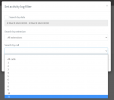
Once it times out, navigate back in to the activity log, click the filter button and from the "Search by call" drop down menu select the last call in the list for all the details regarding that call.
1646912393400.png


The log starts from the button and goes up. Send me a p.m. with the details if you have any issues locating the problem.
 
Issue was with signaling IP. Once that was corrected the issue was resolved.
 
Just to add to what Yiannis has stated.

The info received from Gamma was as follows (an edited cut & paste of exactly what was received)

IP Addressxx.xx.xx.xx
Channels4
Signalling UDP port 5060 egress/ingressyy.yy.yy.yy
Media UDP ports 6000 - 40000 egress/ingresszz.zz.zz.zz

I used xx.xx.xx.xx as the registrar but infact it should have been yy.yy.yy.yy

Posted so others don't fall for the same trap.
 
  • Like
Reactions: YiannisH_3CX
Status
Not open for further replies.

Latest Posts

Forum statistics

Threads
112,324
Messages
591,897
Members
165,476
Latest member
awan05