Ghost Calls

Status
Not open for further replies.

PlatinumICT (Miranda)

Joined
Oct 15, 2018
Messages
1
Reaction score
0
Hi 3CX Community

Experiencing a very weird issue with a client.

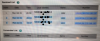
They are receiving calls from 4 digit numbers (not extensions that is set up on their PBX). When I review their call log on 3CX these calls do not apear, but when looking at the phone itself, it's visible:
upload_2018-10-15_15-32-58.png

Reconfigured each phone with new credentials from scratch and the issue persists.
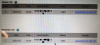
upload_2018-10-15_15-19-16.png


When we answer this call, there is silence on the line. It's intermittent, happens 2 to 4 times in an hour however and is incredibly disruptive to client.

Any idea what this could be?
 

Attachments

  • upload_2018-10-15_15-14-20.png
    upload_2018-10-15_15-14-20.png
    163.7 KB · Views: 12
  • upload_2018-10-15_15-15-28.png
    upload_2018-10-15_15-15-28.png
    178.9 KB · Views: 11
Are these Yealink phones configured using STUN?

Are you using the 3CX template to provision the phones or are they manually configured? If memory serves 3CX for the last year or more sets the right values on these phones to prevent this from happening.

If you are manually configuring them, please re-configure using 3CX's template https://www.3cx.com/sip-phones/yealink-t4-series/ and follow the instructions for RPS/STUN.

If they are configured as such let me know and I'll let you know what values to check in the Yealink gui to confirm they are set correctly to block this.
 
  • Like
Reactions: YiannisH_3CX
Hello @PlatinumICT (Miranda)

As @CentrexJ mentioned please make sure that you are on the latest 3CX version and you are using the 3CX default template and supported firmware. Let us know if that resolves the issue
 
@CentrexJ I redid all the phones as specified and for over a week we got no ghost calls now they are back. I took each phone off the network, defaulted and changed passwords including on 3CX. Then auto provisioned and it has been fine until a day ago. It is not as frequent that we are getting the calls but please can you let me know what further to check.
 
So you still haven't mentioned what phones they are so I can't check the template to confirm. I know I pointed out a while ago that 3CX did not have the correct syntax for preventing ghost calls in some of their Yealink templates. Using a SBC will also solve the issue. Changing passwords doesn't solve anything. Basically you have SIP scanners hitting your firewall which is then forwarding the calls to your phone as direct SIP. The settings in the template should be telling the phone to ignore any SIP traffic not coming from 3CX.
 
Also, if using STUN lock down your firewall to only allow the 3CX server to come in to your local phone SIP ports.
 
  • Like
Reactions: Marari
Status
Not open for further replies.