- Joined
- Sep 18, 2019
- Messages
- 2
- Reaction score
- 0
Hi guys,
I'm configuring global office hours so that extensions go to DND after work hours, however it doesn't seem to have any effect.
I followed the video in https://www.3cx.com/3cxacademy/videos/intermediate/time-day-routing/
as Its exactly what I was looking for, auto switching to DND after hours in the web client.
I've set the global office hours and nothing happened, so I added a 1 minute break time just in case that was required, still nothing...
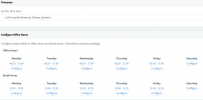
Inbound rules have similar office hours..
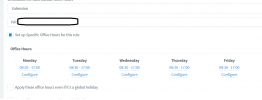
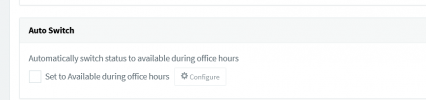
I've also messed around with Auto switch in the extension forwarding rules settings to use both specific office hours or global office hours. None of the settings seem to switch the extension status from available to DND after hours similar to the video(how it switches status from available to away during break and to DND after hours) in the webclient or the 3cx app. Time on the server is correct and I have a daily 3cx backup setting which runs and emails at the correct time.
Any help is appreciated, thanks
I'm configuring global office hours so that extensions go to DND after work hours, however it doesn't seem to have any effect.
I followed the video in https://www.3cx.com/3cxacademy/videos/intermediate/time-day-routing/
as Its exactly what I was looking for, auto switching to DND after hours in the web client.
I've set the global office hours and nothing happened, so I added a 1 minute break time just in case that was required, still nothing...
Inbound rules have similar office hours..
I've also messed around with Auto switch in the extension forwarding rules settings to use both specific office hours or global office hours. None of the settings seem to switch the extension status from available to DND after hours similar to the video(how it switches status from available to away during break and to DND after hours) in the webclient or the 3cx app. Time on the server is correct and I have a daily 3cx backup setting which runs and emails at the correct time.
Any help is appreciated, thanks