- Joined
- Feb 12, 2021
- Messages
- 4
- Reaction score
- 2
We have enabled Voicemail Transcription as per the instructions here https://www.3cx.com/docs/voicemail-transcription/.
It looks like everything is configured correctly at both ends, but we're just seeing blank text at the end of the voicemail emails, see sample below.
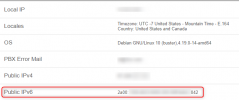
I've also found a similar previous Thread on the subject (Thread starter solutions4; Start date Jun 28, 2019). I've not sure how to create a "support package" in the Google console. But I've found from the APIs and Services - "Cloud Speech-to-text API" - Metrics that they are being rejected with error 403 (forbidden?). We are using 3CX Hosted (Professional License), and have configured our IP in the "Application Restrictions" field according to the above instructions.
Any troubleshooting suggestions?
Sample email text:
Received:"2021-03-04 09:33:27"
Duration:"00:00:11"
File:"vmail_0123456789_106_20210304093327"
Transcription:
It looks like everything is configured correctly at both ends, but we're just seeing blank text at the end of the voicemail emails, see sample below.
I've also found a similar previous Thread on the subject (Thread starter solutions4; Start date Jun 28, 2019). I've not sure how to create a "support package" in the Google console. But I've found from the APIs and Services - "Cloud Speech-to-text API" - Metrics that they are being rejected with error 403 (forbidden?). We are using 3CX Hosted (Professional License), and have configured our IP in the "Application Restrictions" field according to the above instructions.
Any troubleshooting suggestions?
Sample email text:
Received:"2021-03-04 09:33:27"
Duration:"00:00:11"
File:"vmail_0123456789_106_20210304093327"
Transcription: