GPO for new desktop apps needed firewall rule

Status
Not open for further replies.

PhilK

Forum User
Advanced Certified
Joined
Jul 22, 2019
Messages
147
Reaction score
44
Hello, hope this is also the right forum for questions on the new 3CX Desktop App.

I need help for a GPO to set the needed firewall rules for the 3CX desktop app. Did anybody get this? I tried it with the "normal" imcoming rules in the security settings for the computer with %localappdata%, %username%, %logonuser% and with the administrative templates with some variables, but everytime I restart the app it wants its own firewall rules and does not accept the ones with the variables. When I copy the path with the variables like %localappdata% and copy it to explorer it works perfect and targets the application. Any idea how to implement the rules, so that the users don't need to interact with it when they install it, because they would need administrative rights to do it on their own. It would be a pitty to not need admin rights for the installation but for the firewall rule.
 
Screenshots would be great here as I dont fully understand what you're talking about. Have they installed it yet? Is the problem happening when the app opens?
 
As above, do not understand your question.

When installing the application, it should make any required local firewall changes.
 
The new windows app needs local firewall rules. The firewall rules need administrative rights to be done. The installation does not, because it is only user-based. To prevent to need administators help when the users will install (we did not upgrade yet and they don't have the windows app installed) just to confirm the firewall setting, I would like to roll out the needed rules with a GPO. This is where I have the problem now.
The path from the apps local firewall rule looks like this: C:\users\*username*\appdata\local\programs\3cxdesktopapp\app\3cxdesktopapp.exe
These are the local firewall rules that are created by the 3CX app itself with the first start and when I have admin rights to confirm it. Domain allowed, public not allowed. Screenshots are in German because we are a German company.
1628842661585.png

What I tried now is to create the firewall rules for the app with a GPO. The problem here is how to create the rule, so that the 3CX Desktop App is fine with it. I tried it with different variables, because of the username in the path it does not allow to have just a simple path without variables. It would need a different rule for every user.

I tried it with rules looking like the following:
%localappdata%\programs\3cxdesktopapp\app\3cxdesktopapp.exe
C:\users\%username%\appdata\local\programs\3cxdesktopapp\app\3cxdesktopapp.exe
C:\users\%logonuser%\appdata\local\programs\3cxdesktopapp\app\3cxdesktopapp.exe

And I tried to set these rules in GPOs in the following ways:
Computer Configuration > Administrative Templates > Network > Network Connections > Windows Defender Firewall > Rule for incoming programme exceptions (that's how I translate it from German)
or
Computer Configuration > Windows Settings > Security Settings > Windows Firewall with Advanced Security > imcoming rules


Now the problem ist: I try it on my computer, so I created the GPO, activated it for me and deleted the local rules from Desktop App itself. When I had the GPOs rules in my firewall configuration I reopened the app AND IT STILL WANTED TO SET ITS OWN RULE(S) AGAIN. That's the problem. Can you follow me? Do you have any idea how to fix this?
 
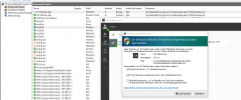
This is how it looks like when the problem occurs:
1628844058414.png
You can see the created GPO rules. The apps rules are deleted and I reopened the app now. It does not accept the rules with the variables and wants to set its own rules.

If you are wondering, this is only a test 3CX I'm running here, that's why there are just three extensions.
After confirmation (admin rights needed) it looks like this:
1628844325335.png
 
Most likely today or Monday, we shall be releasing a blog post about how to deploy the New Windows Desktop App via GPO.

I realize this is not exactly the subject of the thread, but if the actual app is deployed via GPO, the Firewall Rules should also be OK.
 
  • Like
Reactions: Evolute IT
Most likely today or Monday, we shall be releasing a blog post about how to deploy the New Windows Desktop App via GPO.

I realize this is not exactly the subject of the thread, but if the actual app is deployed via GPO, the Firewall Rules should also be OK.
Hi Nick, thanks for your reply. That sounds good for me. Perhaps you could ask the relevant team about the GPO issue. If the user still has to confirm the firewall rule when opening the app for the first time, this would not solve the problem and it would then surely make sense for this topic to be dealt with in this blog post.
 
I'll try and find out and let you know.
 
So after discussing this internally, apparently when the app has been deployed via GPO (see the instructions in the blog post when it comes out), the first launch of the app will not prompt the user for Firewall Rules.
 
So after discussing this internally, apparently when the app has been deployed via GPO (see the instructions in the blog post when it comes out), the first launch of the app will not prompt the user for Firewall Rules.
I'll see if I can write a procedure for RMMs like Automate or Intune.

Not everybody uses GPOs lol
 
  • Like
Reactions: Lantera and PhilK
Another question on this. We are using MS Terminalserver in our company in connection with synchronized user profiles, where only the local folder in the appdata is synced to the profiles server, but not the roaming folder. The app itself is located in local folder, but the provisioning stuff is located to the roaming folder, so the problem is, that the users would have to provision the app every day again. Is there an option to change this with GPO or in any other way?
 
@NickD_3CX what about the blog post?
There must have been some delay on Friday.
This and the following week are shutdown periods for some departments at 3CX, so it may be slightly delayed until everyone is back.
Didn't mean to misinform.
 
Hey @NickD_3CX, do you have some news for me regarding on the GPO blog post?
Can you check if they will also have a possibility regarding my last question here?
"Another question on this. We are using MS Terminalserver in our company in connection with synchronized user profiles, where only the local folder in the appdata is synced to the profiles server, but not the roaming folder. The app itself is located in local folder, but the provisioning stuff is located to the roaming folder, so the problem is, that the users would have to provision the app every day again. Is there an option to change this with GPO or in any other way?"
 
Hey @NickD_3CX, do you have some news for me regarding on the GPO blog post?
Can you check if they will also have a possibility regarding my last question here?
"Another question on this. We are using MS Terminalserver in our company in connection with synchronized user profiles, where only the local folder in the appdata is synced to the profiles server, but not the roaming folder. The app itself is located in local folder, but the provisioning stuff is located to the roaming folder, so the problem is, that the users would have to provision the app every day again. Is there an option to change this with GPO or in any other way?"
Hi!

I bit later than expected, but here it is:
https://www.3cx.com/docs/desktop-app-gpo/

[EDIT]
There will also be another one coming for deploying for Terminal Server
 
Last edited:
  • Haha
Reactions: PhilK
Oh wow :D I thought there would be something new or special in the blog post. This is the normal way to install an application by GPO. Nothing for special configuration changes like moving the apps config from local appdata to roaming. Sorry but that was not worth the work.
 
It would seem so, from what I have been told, deploying this way does not prompt the user for any Firewall Rules.
 
Sorry I almost forgot. I will test that now. But I thought there were also possibilities to change the type of installation and paths via GPO.
 
Give it a shot and see how it goes. I don't think there is the option the change the path, but there may be some additional configuration required for Terminal Servers, as that will be a separate guide coming in the future.
 
Status
Not open for further replies.

Forum statistics

Threads
112,349
Messages
592,027
Members
165,513
Latest member
megalmazan