


- Joined
- Jul 22, 2019
- Messages
- 147
- Reaction score
- 44
Hello, hope this is also the right forum for questions on the new 3CX Desktop App.
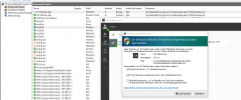
I need help for a GPO to set the needed firewall rules for the 3CX desktop app. Did anybody get this? I tried it with the "normal" imcoming rules in the security settings for the computer with %localappdata%, %username%, %logonuser% and with the administrative templates with some variables, but everytime I restart the app it wants its own firewall rules and does not accept the ones with the variables. When I copy the path with the variables like %localappdata% and copy it to explorer it works perfect and targets the application. Any idea how to implement the rules, so that the users don't need to interact with it when they install it, because they would need administrative rights to do it on their own. It would be a pitty to not need admin rights for the installation but for the firewall rule.
I need help for a GPO to set the needed firewall rules for the 3CX desktop app. Did anybody get this? I tried it with the "normal" imcoming rules in the security settings for the computer with %localappdata%, %username%, %logonuser% and with the administrative templates with some variables, but everytime I restart the app it wants its own firewall rules and does not accept the ones with the variables. When I copy the path with the variables like %localappdata% and copy it to explorer it works perfect and targets the application. Any idea how to implement the rules, so that the users don't need to interact with it when they install it, because they would need administrative rights to do it on their own. It would be a pitty to not need admin rights for the installation but for the firewall rule.





 I thought there would be something new or special in the blog post. This is the normal way to install an application by GPO. Nothing for special configuration changes like moving the apps config from local appdata to roaming. Sorry but that was not worth the work.


