


- Joined
- Nov 7, 2019
- Messages
- 16
- Reaction score
- 1
Server OS : Windows 10 (this is temporary will move it later)
3CX Version: 16.0.676
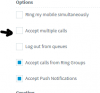
I have provisioned the phones and they are working fine. however i noticed that each phone takes two line keys for the assigned extension. The provisioning guide also mentions "The first two keys (or three in the case of GXP1630) are configured as line keys (via the template), and can't be changed, otherwise the phone will not be able to make calls" and its listed as known limitation.
I was wondering is there a work around this. I want only one line key to be used by the extension. Links below are the provisioning guides.
https://www.3cx.com/sip-phones/grandstream-gxp21-series/
https://www.3cx.com/sip-phones/grandstream-gxp16-series/
3CX Version: 16.0.676
I have provisioned the phones and they are working fine. however i noticed that each phone takes two line keys for the assigned extension. The provisioning guide also mentions "The first two keys (or three in the case of GXP1630) are configured as line keys (via the template), and can't be changed, otherwise the phone will not be able to make calls" and its listed as known limitation.
I was wondering is there a work around this. I want only one line key to be used by the extension. Links below are the provisioning guides.
https://www.3cx.com/sip-phones/grandstream-gxp21-series/
https://www.3cx.com/sip-phones/grandstream-gxp16-series/



 . thank you everyone for the responses.

