• We do not provide troubleshooting help for unsupported phones. Please try with a supported phone.
  • V20 Update 10 Alpha 2 Learn more

Grandstream HT801 and Faxes

Status
Not open for further replies.

Callum.Smith

Bronze Partner
Advanced Certified
Joined
Apr 5, 2022
Messages
6
Reaction score
0
We are currently experiencing an issue with outbound fax using HP PageWide MFP P57750 XC and Grandstream HT 801
- Customer is able to receive faxes albeit intermittently
- When sending faxes it comes up with a commutation error.
- System is hosted in our datacentre

We have tried the following things
- Upgraded the firmware
- Plugged in an analogue phone
- Gone through guides via the 3cx forum
- Ensured that it is sending the correct tones (T.38 as well as G.711)
- Used a VPN to the system (Was originally an SBC)

Traces show that the fax is dialling correctly and sending it in the T.38 format (its been sending to a fax server to test) however printer comes up with an error and no fax received
 
Hi Callum,

There is never any guarantee that faxes will succeed, but you can make some choices that give you a better chance overall.

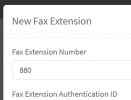
1. Create a FAX extension, assign it to the HT801 under FXS/DECT (do not use a regular extension)
1656405842173.png
2. In the HT801 configuration, you also need to enable this:
1656405770229.png
3. In your fax machine settings, find and disable ECM (this is critical), then find and change the Tx speed to 9600bps.

4. Make sure the HT801 firmware is updated, and factory reset and reprovision it afterwards to ensure you have a clean config.

5. Finally, your trunk provider must support T.38 - if you are not sure about this you can ask them or you can run a capture and see if you get T.38 because this will increase your chances to fax successfully VS plain G.711

PS: A short analog cable from the HT801 to the FAX machine is also recommended, to avoid any loss of analog signal (under 3m is ideal).
 
Hi John

Thank you for the response

I have tried all of these and am still getting the communication error

Do you have any further ideas?
 
5. Finally, your trunk provider must support T.38 - if you are not sure about this you can ask them or you can run a capture and see if you get T.38 because this will increase your chances to fax successfully VS plain G.711
Yes, mainly this
 
Hi John

We have already confirmed the supplier supports T.38 as they used to have a Avaya which was working fine
 
Sorry, I meant have you captured some fax calls that failed, to ensure that they were in T.38 mode during the failure, and to troubleshoot those very specific calls with the help of the provider to see what happened?
 
Last edited:
Hi John

Slightly strange one. on the Wireshark trace the ending header on the non working one states "user: Phone" rather than the working one which shows nothing at all.

Could this be anything and if so how would i force the extension to send user:fax
 
John,
We have the issue with HP MFPs. We have not issue using ATA or gateways with Xerox and Brother machines, but the HPs will not work on outbound. If possible, take a fax you know that works and try it with the ATA. This will at least prove-out that its not the ATA. Simular to you... these all work on Avaya using the same SIP provider, but the HPs don't like the Grandstream ATAs on 3CX.
 
Hi

Further to this we have managed to get this working using a different sip trunk provider and changing nat from "none" to "keep-alive"
 
Status
Not open for further replies.

Forum statistics

Threads
112,148
Messages
590,962
Members
165,168
Latest member
Stephan Eusebe