Hardware for local AI

Hi, is there any news on the 'multi tenanted' transcription server please?
Thanks
 
The https://www.3cx.com/blog/docs/ai-transcription-rig-build/ was an interesting read.
although its really a desktop we are looking at the options. swapping out the case with a rackmount one.
same build in $AUD 9K+

for reference everything below is $AUD:
RTX 5090 32GB $6299
Some other cards I came across while researching:

RTX Pro 4500 32GB $4699.
This is interesting in that it comes in workstation or server edition. its performance seems decent on paper but still not as good as 5090, for those that were looking at the L4 the server edition of RTX Pro 4500 might be worth investigating.

RTX Pro 4000 24GB $2599.
This could be good for a budget build if you dont need a server edition card. while it only has 24GB its performance seems significantly better than the bare min L4.

using the RTX Pro 4000 24GB in a super budget build comes in at $4630
 
Last edited:
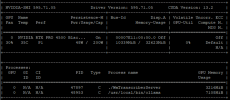
We finally got round to building an on prem multi GPU AI rig.
In the end we put in a dedicated RTX Pro 4500 32GB just for 3cx using PCIE passthrough to the VM.
Everything is being transcribed in seconds which is great. we are not a call center so didn't need to go for the 5090.
Every one is loving the acuracy.
Great job guys.
1778549072633.png
 
We have only several voicemails to transcript per day. Do we really need a 24 gb nvidia GPU or can we use a CPU-only server (8 vCPU, 24 GB RAM) or a small server with a budget nvidia gpu or at least a NVIDIA RTX4000 SFF Ada Generation with 20 GBRAM (https://www.hetzner.com/de/dedicated-rootserver/gex44/), if we are able to wait a little bit longer? Or does the transcription engine only work with at least 24 GB GPU RAM?
 
Last edited:
  • Like
Reactions: nikolascx
Wait a bit we will release a new onboard transcription engine very soon for the Mac mini
 
Anyone know if we can use Intel Arc instead of NVIDIA for this? How about Arc PRO B70 with 32GB of VRAM?
 
Hi kseba77
The supported GPU path is Nvidia w CUDA
And Mac MINI M4 chips is coming soon.
These 2. We do not have support for Intel Arc.
Thank
 
We have only several voicemails to transcript per day. Do we really need a 24 gb nvidia GPU or can we use a CPU-only server (8 vCPU, 24 GB RAM) or a small server with a budget nvidia gpu or at least a NVIDIA RTX4000 SFF Ada Generation with 20 GBRAM (https://www.hetzner.com/de/dedicated-rootserver/gex44/), if we are able to wait a little bit longer? Or does the transcription engine only work with at least 24 GB GPU RAM?
One of the options we looked at was just buying a 2RU case with dual PSU.
Grabbing a desktop board that can take 2x m.2 in RAID 1.
Then use NVIDIA RTX PRO 4000 SFF Blackwell Low Profile, 24GB.
So effectively a cheap desktop pretending to be a server.
 
Hi @GWinchester
The 24GB NVIDIA GPU is not really about the number of voicemails per day. It is about whether the local transcription engine has enough GPU memory to load and run the model reliably.

So "We have only several voicemails to transcript per day" doesn't mean the model suddenly shrinks and uses less memory.

If you have only a several voicemails per day, just go with Grok and have done with it. Not even worth having another machine running for this and maintaining it.

The RTX 4000 SFF Ada 20 GB should work because the new version will reduce the amount of GPU memory required. You will also be able to buy a small mac mini 16gb.

For only a few voicemails per day, cloud transcription may be simpler than maintaining a local GPU box.

My advice - for your specific case, do not make rigs for now. Wait for the next version to be released and in the meantime, use a cloud transcription. You have 3 options to choose from.
Thanks so much
 
We can't use Grok because of data privacy. We wait for the Mac mini solution
 
Hi,
Any news regarding the mac mini solution ?
Should we go for the M4 ou rather for the M4 Pro (12/16 Cores, or 14/20 Cores ?) ?
16, 24 or 48Go of memory ?
Thank you very much !
 
HI - We are in testing phase and waiting for update 10 to finalize. (needs update 10 also).
But you can safely order already.

The AI Server solution will work on all. How big is your pbx? (users / license)

With the 16 GB you will be close to the edge - So best avoid it.

I'll make it easy for you:
Go for 24 and up
M4 or M4Pro

In the meantime, Ill contact @Kevin Attard Compagno who will give you more precise information between M4 and M4Pro but we have them both and both work..
 
Hi @rlg

Nicky's guidance is spot on.

About the difference between M4 and M4Pro:
  • the M4Pro has a memory bandwidth of 270GB/s compared to 120GB/s for the M4,
  • you should see a performance/capacity increase not far from 100%
If you want even more future-proofing, you might also consider the entry-level MacStudio, with an M4Max (410GB/s) and 36Gb RAM - the price difference is modest. This should give you another performance boost of more than 60% compared to the MacMini M4Pro24.

Regards
 
Hi @nikolascx & @Kevin Attard Compagno,

Thank you very much for your replies.
As per my understanding, the performance key is then the memory bandwidth.
With a least 24 GB of memory.

The entry-level MacStudio should then be the right future-proofing choice for us, as a mutualized transcription server, for all our customers being more and more interested, among them some with licences up to 192SC.

Thank you again !
 
Nicky's guidance is spot on.

About the difference between M4 and M4Pro:
  • the M4Pro has a memory bandwidth of 270GB/s compared to 120GB/s for the M4,
  • you should see a performance/capacity increase not far from 100%
If you want even more future-proofing, you might also consider the entry-level MacStudio, with an M4Max (410GB/s) and 36Gb RAM - the price difference is modest. This should give you another performance boost of more than 60% compared to the MacMini M4Pro24.

Hey Kevin,

Given the Alpha release, we are keen on trying out the multi-phone system approach to the server but want to know from experience what the scaling looks like before we invest in specific hardware.

The Apple option looks reasonable but I do worry about CRM queries + Transcription requiring fairly quick results so we don't delay that flow of data.

Should we instead just stick to a GPU based platform for speed given the above?

Would love to hear worked examples of estimates on capacity depending on the platform.
 
  • Like
Reactions: KyriacosS_3CX
Hi @telcocentricu1

Performance of the 3CX AI Server can be measured in a few different ways, but I think that the most important 2 for your thinking are:
  • Average Speed Factor (how many minutes of recordings can be processed in ONE minute of AI Server time); so a Speed Factor of 10x means that the server can process 10 hours of recordings in one hour of machine time
  • Average Round Trip Time (how many seconds does my average recording take from just after delivery to the AI Server, to job completion just before sending results back to the PBX)
We have performed some test runs to get some pointers on these factors.

Keep in mind that Average Round Trip Time is directly affected by the average duration of call recordings and voicemails; we have worked with an average call recording duration of around 140 seconds, and an average voicemail recording duration of around 30 seconds - which is what we have seen to be the all-round averages.

This may be different for particular lines of business, or for different call recording scopes. If you are recording people calling in for job interviews, for example, the average duration can be significantly longer; so if your particular use case is indeed different, then the specific numbers may well be very different for your use case.

However, the order listed below in terms of which rig is slower/faster should remain correct, by and large.


In order of Speed Factor (fastest last):
  • 18x - MacMini M4Std 24Gb
  • 32x - Google g2-standard-4_NVIDIA_L4
  • 43x - MacStudio M4Max14 36Gb
  • 44x - Single RTX4060Ti 16Gb
  • 111x - Single RTX4090 24Gb
  • 226x - Dual RTX4090 24Gb

In order of Round Trip Time (fastest last):
  • 55s - MacMini M4Std 24Gb
  • 31s - Google g2-standard-4_NVIDIA_L4
  • 25s - MacStudio M4Max14 36Gb
  • 18s - Single RTX4060Ti 16Gb
  • 11s - Dual RTX4090 24Gb
  • 9s - Single RTX4090 24Gb

Please also do keep in mind that this is an early version of the new 3CX AI Server, and numbers can change as we make adjustments moving forward.
 
Thank you that is absolutely awesome info and will help us make a decision. Really appreciate the effort
 

Forum statistics

Threads
111,773
Messages
588,899
Members
164,560
Latest member
ty_wu