Solved Headset integration Sennheiser MB Pro 1 UC-ML doesn't work

Status
Not open for further replies.

petxi79

Gold Partner
Advanced Certified
Joined
Mar 15, 2019
Messages
19
Reaction score
36
Hi everybody,

We have brought these headsets for a Call center people that need mobility at the office, and we need that the button in the headset works to answer and end calls, but it doesn't works.

We have followed the steps in this documentation:
https://www.3cx.com/docs/configuring-sennheiser-headsets/


We have tried webclient in Chrome and Browser extension without success.
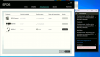
EPOS_Sonpura.png
EPOS_Sonpura2.png

The 3CX WebClient option in Default softphone only appears with an active call.

Thanks in advance and regards,
Jaume
 
Yes i can confirm i spend much time getting an old Sennheiser Presenc UC to work no luck then i buy a brand new Sennheiser presence UC but will not work.
the documentation on 3cx is incorrect, buttons do not work and it does not autometically mute other audio on the computer.

you can use without headset intregration for basic phone calls but very often it suddently stops working and you have to go to settings to fix. This is a no go for normal users.

i think we can say sennheiser/epos integration is broken and needs to be fixed ??

we where planning to switch to the web client but without sennheiser support and no cti support this is making things very difficult

and personaly verry annoyed becuase lost a lot of time with this.
 
Hi again,

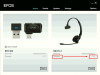
We have talked with technical support of our vendor and we have achieved that the button works with 3cx web client in Chrome or with browser extension.

The steps we have followed are:

1. Install EPOS Connect https://www.eposaudio.com/en/es/enterprise/software/epos-connect
2. Install 3CXPhone Plugin https://www.eposaudio.com/en/es/enterprise/software/plugins
3. Restart PC
4. Upgrade MB Pro1 UC firmware to version 2.5.9 https://www.eposaudio.com/en/es/ent...dsets/mb-pro-series/mb-pro-12-firmware-update
5. Wait until MB Pro1 headset appears again in EPOS Connect
6. Configure Chrome 3CX web client or brower extension with Sennheiser headset integration.

Following these steps the headset's button works to answer and finish a call.

Ensure that this premises are on your system
- 3CX v15 or higher
- Device BTD800 as default audio device in Windows

Regards,
Jaume
 

Attachments

  • EPOS_Sonpura_OK.png
    EPOS_Sonpura_OK.png
    50.3 KB · Views: 7
  • Like
Reactions: JohnS_3CX
Status
Not open for further replies.

Forum statistics

Threads
112,025
Messages
590,367
Members
164,977
Latest member
jasimbutt82