Solved Help- No phone provisioning after installing latest yealink template

Status
Not open for further replies.

GBC_James

Premier Customer
Advanced Certified
Joined
Feb 3, 2017
Messages
132
Reaction score
24
Hi
Having installed the latest Yealink T4x template which recently appeared on the updates screen, I can not no longer provision new Yealink T42G phones.

but even worse, now our hot-desking staff can not log out of their handsets, nor can they log in to blank hotdesk handsets.

this is a big problem.

Please help

thanks
James

Update - I just went to see if I could log in my self to a hotdesk phone. The phone accepted my pin, but did not provision and update with my name, extension, etc.
In the 3CX management console, under Hotdesking, the phone I tried has a status saying I am logged in.
 
Last edited:
I have the same problem on my Htek 862. My one unprovisioned phone will not provision. I have reset, reboot, added as a hotdesk, added as a phone, and it never shows configured. It has the latest firmware.
 
Hello @GBC_James

Are the phones local or remote? Also what version PBX are you running and what firmware are the phones running? Are you trying to provision the phone as a hotdesking device or directly assigned to an extension?
 
Hello @jimbo59

What version is your PBX and what firmware is the phone running? Is this a local or an SBC device? Is this the only device with the issue?
 
On mine SIP version

2.0.4.4.35 Htek and current sp4.

It shows as hotdesk available but the phone is not alive.
Can't add as extension either.
Phone is Htek 862
 
Hello @GBC_James

Are the phones local or remote? Also what version PBX are you running and what firmware are the phones running? Are you trying to provision the phone as a hotdesking device or directly assigned to an extension?
Hi
We are running V15.5
Phones are local. they are Yealink T42G. firmware is 29.82.0.20
I can not provision either Hotdesking or New phones assigned to an extension.

this problem began Tuesday Morning (UK) and the only change I had made was to install the new Yealink template, so I am assuming that is the problem as it was the last thing I did.

thanks for helping.
 
@GBC_James

Try to download the phone config manually and see if that works. To do so copy the provisioning link of the extension and append the mac address followed by .cfg
Example: http://[local_IP]:5000/provisioning/[random_folder]/[mac_addr].cfg
Paste this link into a browser that is in the same network as the phones and see if you can download the config file. I cannot see anything wrong with the template as i am using the same and i am having no issues provisioning new phones.
 
@GBC_James

Try to download the phone config manually and see if that works. To do so copy the provisioning link of the extension and append the mac address followed by .cfg
Example: http://[local_IP]:5000/provisioning/[random_folder]/[mac_addr].cfg
Paste this link into a browser that is in the same network as the phones and see if you can download the config file. I cannot see anything wrong with the template as i am using the same and i am having no issues provisioning new phones.

Thanks YiannisH_3CX
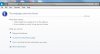
I get a 404 error
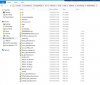
I can browse on the 3CX Server to the random folder ours is th582z44eobo) so it definitely exists

error.JPG
 
Thanks YiannisH_3CX
I get a 404 error

If you cannot download the config manually then the phone cannot get the config either. Check if you can browse to the phones web interface from the 3CX server (if windows) also check that your IPs are correct and nothing has changed. Also try the same with an already provisioned phone. Do you get the same error?
 
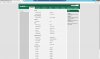
I can get to the phones web interface ok with no errors
No ip addresses have changed.

phoneui.JPG
 
@jimbo59

I will try to replicate your issue as soon as i can get a Htek 862 and i will let you know of the results.
 
  • Like
Reactions: jimbo59
@GBC_James

Do you get the same error when you try to download a config from an already provisioned phone?
 
Yes, and already provisioned phone doesn't get it either.
this morning, I changed a user name assigned to an existing extension, and then reprovisioned the phone, and no changes were made. the old name remained.provisioning folder.JPG

Here is a picture of the provisioning folder, just to prove it's there.
 
The provisioning folder is there but something is preventing the phones from getting the config files.
Please check your inbox as we will require some files in order to further troubleshoot your issue.
 
For some reason the phones had shown an upgrade available which I did. This killed the phones. I opened a tech support call and the engineer had me downgrade and all is well.
 
  • Like
Reactions: YiannisH_3CX
Over the weekend, deleted the custom templates we weren't using, upgraded to SP3, then SP4.
All good now. Phones are provisioning and hotdesk phones are being logged in to.
Everyone is happy
Thanks to YiannisH_3CX who gave me this advice :)
 
  • Like
Reactions: YiannisH_3CX
Glad to see the issues have been resolved and thank you for updating the thread with your solutions.
 
Status
Not open for further replies.

Latest Posts

Forum statistics

Threads
111,885
Messages
589,545
Members
164,744
Latest member
johnblackwood1