- Joined
- Aug 9, 2021
- Messages
- 10
- Reaction score
- 0


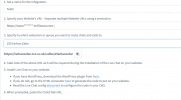
Are you pointing the chat to a 3CX PBX queue or extension, or are you using the standalone chat?Hy i have tried every this line adding https://www.********.com-br.filesusr.com when inserting url of my website . But still the chat is not clickable.
Can you please help me
Pointing the chat to 3cx extensionAre you pointing the chat to a 3CX PBX queue or extension, or are you using the standalone chat?
The Website URL must be the public URL your website is located at. Not the CDN of Wix.

Yup tried that with 3cx cdnHave you tried to use the code generator, this allows you to download the files or use 3cx cdn
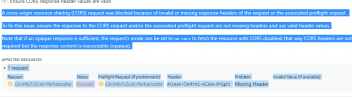
Thank you for finding time @NickD_3CX . Yeah i made it work . But currently i am facing another issue.When i only choose the option "Phone only" option (Phone only with Chat and video call is working fine) It give me this error.

Since there is a separate thread for this I'll be closing this thread: https://www.3cx.com/community/threads/3cx-phone-option-issue.83284/Thank you for finding time @NickD_3CX . Yeah i made it work . But currently i am facing another issue.When i only choose the option "Phone only" option (Phone only with Chat and video call is working fine) It give me this error.
An embedded page at www.mydomain-com.filesusr.com says that Allow microphone access from your browser
Founded in 2005, when VoIP was an emerging technology, 3CX has gone on to establish itself as a global leader in business communications.