Holidays not working

Adrian-Blue

Gold Partner
Basic Certified
Joined
May 4, 2021
Messages
12
Reaction score
0
Hi,

I have just had a call from a client saying the holiday I setup for them isn't working. They asked me to set a holiday for today and Monday to close the phones 1 hour earlier than they normally close at 4pm. The call is still using the day route and the system has not gone into holiday mode. Could someone tell my why this is happening please.

1766161737789.png
 
Is prompt selected?
 
Don't remember but worth trying to set it
 
@Ocean Support Since you put a time, is time correct on the server? (try all day)
 
Don't remember but worth trying to set it
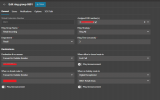
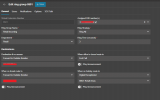
@ivank I tried setting a prompt on the holiday schedule as well as an announcement on the ring group. After setting both I do not hear either the prompt or the announcement, so it seems they are not the cause of the problem.

1771432868065.png

1771432812917.png

@SteveITS Setting the holiday to All day has also not resolved the issue. Thank you for the suggestion though.
 
Last thing to check - have you assigned the holiday script to the trunk in the Call Script section? Because inbuilt holiday script will be supported since U9 only.
 
@ivank Unfortunately the script does not have my desired outcome of being able to forward calls from a ring group to a Digital Receptionist, as per my screenshot. The script only allows for a prompt to be played and then call is disconnected.
 

Attachments

  • 1771427358620.png
    1771427358620.png
    30.2 KB · Views: 3
The holiday script exists only to play the prompt set on the holiday, and then the trunk transfers the call as directed. Perhaps you're somehow hitting that "end call" option? Might be a good idea to enable some verbose logging and test this...the activity log should show where/why it's being routed.
 
The holiday script exists only to play the prompt set on the holiday, and then the trunk transfers the call as directed. Perhaps you're somehow hitting that "end call" option? Might be a good idea to enable some verbose logging and test this...the activity log should show where/why it's being routed.
Thank you for your reply. I can assure you we are not ending the call accidently. The call just rings on the ring group "day / normal" route until answered or intentionally ended.

Is there anything I should look for in the verbose logs? As you can imagine there are many entries which I do not want to bother you with a full log of potentially unimportant data, even when filtering to 1 specific test call
 
Can you please confirm steps below?

• Go to the Department and add the Holiday with your prompt.
• Set in the Call Handling where the DID is routed a destination for Holiday without any announcement
• Go to the Integrations section and add from the store the Holiday Script, set it to the Sip trunk level and press OK
 
Can you please confirm steps below?

• Go to the Department and add the Holiday with your prompt.
• Set in the Call Handling where the DID is routed a destination for Holiday without any announcement
• Go to the Integrations section and add from the store the Holiday Script, set it to the Sip trunk level and press OK
Yes, I tried these steps and a prompt was successfully played, however I am wanting the ring group to forward to a Digital Receptionist when holiday hours are active.

My setup is on Office hours > Office Holidays, have set a item for today 19/02 with times 00:01 to 23:59

DID number is set on a Ring Group. Settings:

1771475787788.png

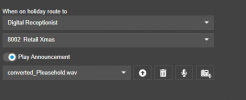
Here you can see I have When on Holiday route to Digital Receptionist 8500

So when I call the DID today, 19/02 I should be routed to Digital Receptionist.

That is not working. The call only follows the process of ringing the users in the ring group as if the holiday does not exist.

I have confirmed our server date and time is correct, timezone and language settings all correct. I have confirmed the ring group is within the same department as the Office Holidays schedule "Retail"

Verbose logs show no attempt to direct the call to 8500 Xmas. I only see normal call routing to the ring group and users within the ring group.

Thank you for the suggestion though @TheodorosG_3CX I appreciate your help
 
Have you also assigned the same department where you configure the Holiday to the IVR?
 
Try please to follow steps as provided and add the Holiday. Then try to restart the 3CX Services and then make a test call.
 
Try please to follow steps as provided and add the Holiday. Then try to restart the 3CX Services and then make a test call.
Yes, Holiday script is installed, and this does not resolve the issue.
 
Make sure you have office hours set or this will not work!
 
  • Wow
Reactions: manawel

Latest Posts

Forum statistics

Threads
111,951
Messages
589,884
Members
164,842
Latest member
abdullah.alshehri@rewaa