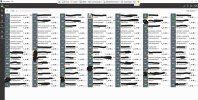
Hotdesking extension visible in 3CX Windows APP

Status
Not open for further replies.

Rick-Arcus-IT

Platinum Partner
Advanced Certified
Joined
Jun 25, 2020
Messages
153
Reaction score
64
Hello everybody,

A customer of us told us that the Hotdesking extensions are vissible in the 3CX Windows app Team view. 'Show unregistered extensios' doesn't change this problem. How can I hide the hotdesking extensions?

Regards,

RickHD in 3CX PC APP.jpg
 
  • Like
Reactions: Evolute IT
Regarding your question, the Webclient team view will show all extension within the groups that the extension is a member of, and show/receive presence information is enabled. With the show unregistered extensions checked, it will also show all the unregistered extensions. There is no way to differentiate between these extensions being hotdesking Iphones, webclients, mobile apps, etc.
 
Regarding your question, the Webclient team view will show all extension within the groups that the extension is a member of, and show/receive presence information is enabled. With the show unregistered extensions checked, it will also show all the unregistered extensions. There is no way to differentiate between these extensions being hotdesking Iphones, webclients, mobile apps, etc.
Hi Charles, thanks for your reply. As I mentioned, changing the show unregistered extensions option doesn't change anything. I tried to replicate this issue on our own 3CX system,but I don't get to see the HD extensions, even though they are logged in. I do see the users which are logged in into the Hotdesking phone, because they are member of the same group (everyone), but the signed out HD phones are not vissible.
 
  • Like
Reactions: Evolute IT
Status
Not open for further replies.

Forum statistics

Threads
112,351
Messages
592,036
Members
165,514
Latest member
megalmazan