How Do I Disable Webcam And Audio Prompts For My Clients

Status
Not open for further replies.

Patrick McNamara

Joined
Oct 10, 2017
Messages
8
Reaction score
0
How can I disable the webcam and audio prompts for webinars? We only want to do screen sharing, whiteboarding, change presenters for our webinars and we're having problems with customers being frustrated with the webcam and audio prompts. Since most users aren't techies the prompts only seem to cause confusion. Any help would be appreciated.
 
Hello @Patrick McNamara

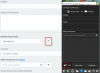
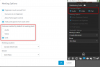
Please note that you need to schedule a meeting in order to be able to control what is enabled by default. when scheduling a meeting you click on the settings button and control what participants rights are. 2018-02-20_17h01_20.png

2018-02-20_16h59_19.png
 
Thanks for this, but when I do that the user still gets the "webcam not found" prompt. Am I missing something?
 
Status
Not open for further replies.

Latest Posts

Forum statistics

Threads
111,884
Messages
589,542
Members
164,741
Latest member
Carsonix