how do i make Skype to Skype calls through Skype gateway

Status
Not open for further replies.

jwnesbitt

Joined
Sep 19, 2009
Messages
48
Reaction score
0
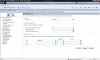
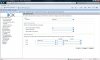
How do I set the gateway / Outbound rule so that if user 1 dials a Skype ID, it gets routed via the Skype Gateway ?
I have set a rule as follows

dial 611
drop 3 digits
prepend with the specific skype id that i have associated with the number 611.
This works fine, but only works with numbers that I manually associate with an ID via prepend.
Is there a way of automating the procedure ?


If i set the rule as follows
dial 8skypename
drop 1 digit
route via Skype gateway as above which works, I get "called number does not exist"


Thanks
Jody
 

Attachments

  • working-skype.jpg
    working-skype.jpg
    118.9 KB · Views: 3,334
  • non-working-skype.jpg
    non-working-skype.jpg
    118 KB · Views: 3,330
Just to say this is now working

Thanks to Steve Corrigan from 3Cx who pointed me in the right direction

Had to make outgoing rule with

a,b,c,d,e,f,g,h,i,j,k,l,m,n,o,p,q,r,s,t,u,v,w,x,y,z

as the prefix range

Jody
 
Hi guys,

Sorry for my ignorance, but, maybe you can provide a more detailed example of getting this to work.

I have created an outbound rule by dialing, say 9, and the stripping the 9 and just using the skype id. It is already set to go out of the skype gateway. Using a 'normal' phone, are you guys just dialing the 'digits' represented by the skypeID? For example, SkypeID is ABC. Are you dialing 222 (translating the ID to digits) to make this work? I can make regular PSTN calls in/out using the skype gateway, but, I am at a loss to dial SkypeID'S?

Thanks for everyone's help.

Jason
 
Hi guys,

Part 2 - I have a 'master' port setup for PSTN skype calls. Is there any other config/ports I have to add to the Skype gateway to do Skype-to-Skype calls?

Thanks again.

Jason
 
j_friedrich said:
Using a 'normal' phone, are you guys just dialing the 'digits' represented by the skypeID? For example, SkypeID is ABC. Are you dialing 222 (translating the ID to digits) to make this work? I can make regular PSTN calls in/out using the skype gateway, but, I am at a loss to dial SkypeID'S?
Hope this one helps:
http://www.3cx.com/forums/cannot-make-outgoing-calls-11949.html#p61527
 
j_friedrich said:
I have a 'master' port setup for PSTN skype calls. Is there any other config/ports I have to add to the Skype gateway to do Skype-to-Skype calls?
If your gateway has only one channel, you should be able to make outbound calls anyway.
Now, supposing your gateway has three channels, having as corresponding outbound rules 0, 1, 2
- if all channels are the same (no master) you should be able to make outbound calls using any 0, 1, 2
- if channel 0 is master, then you should be able to make outbound calls using 1 and 2. By 0 is possible only when 1 and 2 has both calls in progress.
 
Hi guys,

Here is a log of the attempted call. I have an 'outbound' rule that specifies if someone dials "88", then to use the Skype gateway. I have stripped the "88" in the outbound rule.


12:40:07.520 [CM503008]: Call(68): Call is terminated
12:40:07.515 [CM503015]: Call(68): Attempt to reach <sip:[email protected];user=phone> failed. Reason: Temporarily Unavailable
12:40:07.515 [CM503003]: Call(68): Call to sip:[email protected]:6060 has failed; Cause: 480 Temporarily Unavailable; from IP:127.0.0.1:6060
12:40:07.514 [CM505002]: Gateway:[Skype] Device info: Device Not Identified: User Agent not matched; Capabilities:[reinvite, replaces, able-no-sdp, recvonly] UserAgent: [3CXSkypeGateway 2.0.8742.0] Transport: [sip:127.0.0.1:5060]
12:40:07.513 [CM503002]: Call(68): Alerting sip:[email protected]:6060

So, we tried a test by dialing '88echo123' (883246123) and no luck.

Any suggestions?

Thanks.
 
j_friedrich said:
So, we tried a test by dialing '88echo123' (883246123) and no luck.
Any suggestions?
Thanks.
I've already explained you how to proceed, three messages above, did you tried?
 
Hi,

To create a simple outbound rule is... simple, an example:
- "calls to number starting with prefix": 5
- "strip digits": 1
So, supossing you want to dial a phone number 44444444 in Cyprus, since Skype requires country code, number become 0035744444444, therefore in your extension you will have to dial it prepended with outbound rule's 5, 50035744444444. Once you dialed it, PBX will strip one digit and the gateway will receive 0035744444444, which it will be passed to Skype to make call.
Also, important is to have Skype credit to be allowed (by Skype) to make phone calls. However, calling Skype accounts is allowed, so if you want to call, for instance Skype account skypeaccount, you will have to dial 5skypeaccount. You may try to call 5echo123, echo123 being Skype's client sound service./quote]

Yes, we have done the above. We can make outbound calls, for example, to any pstn/cell number with no problem. However, dialing the same way to call a Skype account, for example 88echo123, results in the above error as noted in the log.

Still trying...
 
Friedrich, the post you quoted is not the one I've pointed, is the one above. Shortly, try to use speedials on your hardphone.
Quote:

Question:
How do you dial 5echo123 from my snom320 extention. I mean it has numbers but not letters.
Answer:
Unfortunately, my knowledges on hardphones are very poor, so I will tell you how I configured my Grandstream (2010), perhaps may be useful to find something similar on your SNOM: since it can be configured using a webbrowser from any computer, since it has speeddials buttons, It was easy to assign to few buttons some Skype accounts (such as 5echo123) and then to make corresponding calls using those buttons.
Reply:
Ur speed dial option work great.
 
Hi,

We had only one Skype 'master port' setup. So, we added another Skype channel setup as not a master account. Again, same error when dialing the echo123 account. We changed our outbound rule '88' to use the secondary Skype channel.

Still nothing...
 
Hi,

Here are more logs:


13:52:53.505 [CM503008]: Call(77): Call is terminated
13:52:53.502 [CM503015]: Call(77): Attempt to reach <sip:[email protected];user=phone> failed. Reason: Temporarily Unavailable
13:52:53.502 [CM503003]: Call(77): Call to sip:[email protected]:6062 has failed; Cause: 480 Temporarily Unavailable; from IP:127.0.0.1:6062
13:52:53.500 [CM505002]: Gateway:[Skype-to-Skype] Device info: Device Not Identified: User Agent not matched; Capabilities:[reinvite, replaces, able-no-sdp, recvonly] UserAgent: [3CXSkypeGateway 2.0.8742.0] Transport: [sip:127.0.0.1:5060]
13:52:53.500 [CM503002]: Call(77): Alerting sip:[email protected]:6062


13:52:35.457 [CM503008]: Call(76): Call is terminated
13:52:35.454 [CM503015]: Call(76): Attempt to reach <sip:[email protected];user=phone> failed. Reason: Busy
13:52:35.454 [CM503003]: Call(76): Call to sip:[email protected]:6060 has failed; Cause: 600 Busy Everywhere; from IP:127.0.0.1:6060
13:52:35.452 [CM505002]: Gateway:[Skype] Device info: Device Not Identified: User Agent not matched; Capabilities:[reinvite, replaces, able-no-sdp, recvonly] UserAgent: [3CXSkypeGateway 2.0.8742.0] Transport: [sip:127.0.0.1:5060]
13:52:35.452 [CM503002]: Call(76): Alerting sip:[email protected]:6060

We setup an outbound rule '99' for our Skype 'master port' 10000. We also setup another outbound rule '88' for the secondary non-master Skype port 10006. Still trying to dial 'echo123'.

Thanks.
 
j_friedrich said:
Hi,

Here are more logs:


13:52:53.505 [CM503008]: Call(77): Call is terminated
13:52:53.502 [CM503015]: Call(77): Attempt to reach <sip:[email protected];user=phone> failed. Reason: Temporarily Unavailable
13:52:53.502 [CM503003]: Call(77): Call to sip:[email protected]:6062 has failed; Cause: 480 Temporarily Unavailable; from IP:127.0.0.1:6062
13:52:53.500 [CM505002]: Gateway:[Skype-to-Skype] Device info: Device Not Identified: User Agent not matched; Capabilities:[reinvite, replaces, able-no-sdp, recvonly] UserAgent: [3CXSkypeGateway 2.0.8742.0] Transport: [sip:127.0.0.1:5060]
13:52:53.500 [CM503002]: Call(77): Alerting sip:[email protected]:6062


13:52:35.457 [CM503008]: Call(76): Call is terminated
13:52:35.454 [CM503015]: Call(76): Attempt to reach <sip:[email protected];user=phone> failed. Reason: Busy
13:52:35.454 [CM503003]: Call(76): Call to sip:[email protected]:6060 has failed; Cause: 600 Busy Everywhere; from IP:127.0.0.1:6060
13:52:35.452 [CM505002]: Gateway:[Skype] Device info: Device Not Identified: User Agent not matched; Capabilities:[reinvite, replaces, able-no-sdp, recvonly] UserAgent: [3CXSkypeGateway 2.0.8742.0] Transport: [sip:127.0.0.1:5060]
13:52:35.452 [CM503002]: Call(76): Alerting sip:[email protected]:6060

We setup an outbound rule '99' for our Skype 'master port' 10000. We also setup another outbound rule '88' for the secondary non-master Skype port 10006. Still trying to dial 'echo123'.

Thanks.
3246123
May I dial it?
Is that your phone number?
What is the person I need to ask for?
;)
 
Hi,

We are trying to dial a Skype ID. There is the standard echo test from Skype that we want to dial. So, we dialed '88' (Outbound rule) then 'echo123'. Doesn't 'echo123' translate to 3246123 on the phone keypad? Are we missing something?

Thanks.
 
Hi guys,

Just to let everyone know, we followed the example in the first post at the top, and in the prepend field put 'echo123'. That's works. But, we want to be able to 'dial' skype ID's with normal hardphones. Is it my understanding that skype ID's can't be translated to digits and dialed with hardphones?

Thanks.
 
j_friedrich said:
Hi guys,

Just to let everyone know, we followed the example in the first post at the top, and in the prepend field put 'echo123'. That's works. But, we want to be able to 'dial' skype ID's with normal hardphones. Is it my understanding that skype ID's can't be translated to digits and dialed with hardphones?

Thanks.

We have already caught it... ;)
9 buttons and 26+9 characters... What do you expect?

Thanks
 
Hi,

Okay, got it. So, because we have the hardphones connected to different linksys ATA's, we will just have to program the speedial in the ata's to dial out letters and numbers. That I know we can do. Fair enough, I didn't think we could translate to digits. Had to ask if there was a way...

Thanks.
 
Status
Not open for further replies.

Latest Posts

Forum statistics

Threads
111,884
Messages
589,542
Members
164,742
Latest member
Zain101