• We do not provide troubleshooting help for unsupported phones. Please try with a supported phone.
  • V20 Update 10 Alpha 2 Learn more

How does physical phone encryption work with 3CX?

Status
Not open for further replies.

marvinadmin

Premier Customer
Joined
May 11, 2022
Messages
11
Reaction score
0
I am new to the 3CX administration and I need to ensure that all business phone calls are encrypted. I've started by updating clients to 3CX v18, this way I've found that I'm not able to listen in on calls using Wireshark. Now I need to make sure that if I initiated or answered a phone call using a physical phone, it would be encrypted too. How would I go about this? In the 3CX Management console, I see that we already have Secure SIP/TLS enabled. I also noticed that if I go to the phone provisioning tab on extensions under 'Your Phones' and select '3CX app' rather than the physical phone's provision, I can see encryption options in the Network section like TLS and 'only secure' for RTP.

Would this be enough to enable encryption going to and from our physical phones or does something else need to be altered like the provisioning file for the phones? If I do manage to get encryption also working on physical phones, would the call be encrypted once it goes out through our SIP provider?
 
Hi Marvin,

Would this be enough to enable encryption going to and from our physical phones or does something else need to be altered like the provisioning file for the phones?
No this would not be enough. 3CX does not support SIP TLS / SRTP provisioning for IP phones, but if you enable it manually on the the phones it should actually function. You make the necessary changes in the phones by yourself, and then confirm the results in wireshark. This would cover the call leg from the phone to the PBX only.

If I do manage to get encryption also working on physical phones, would the call be encrypted once it goes out through our SIP provider?
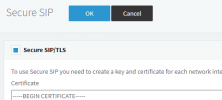
No, the call leg from the PBX to the provider will not be encrypted. You need to enable SIP TLS and SRTP on the trunk for this to happen, IF your provider supports it.
 
Hi John, thanks for clearing a lot of my confusion.

So to clarify, I would need to either go into the phone settings using the physical phone interface, or the local web interface for SIP TLS. And I cannot make a custom provision through the 3CX management console to accomplish that?

Also, would this setting enable SIP TLS on the trunk, or is that something I need to do on my provider's end of things?
 

Attachments

  • sip.png
    sip.png
    10.1 KB · Views: 5
Last edited:
Hello,

You can do it via provisioning if you want, but only if you create your own custom templates that instruct the phone to switch to SIP TLS and SRTP mode by default.

We do not provide support for custom templates, please check this article here:
https://www.3cx.com/docs/custom-ip-phone-templates/#h.lbdvgcnoj4wf


Note: also keep in mind that if you kept the default SIP ports, the SIP TLS port will be 5061 instead.
 
I am new to the 3CX administration and I need to ensure that all business phone calls are encrypted.
An SBC encrypts traffic between the SBC and the server, though not on the LAN. (https://www.3cx.com/community/threads/sbc-tunnel-encryption-vs-softphone-tunnel.64116/, read to the bottom)

This doc page might also help: https://www.3cx.com/docs/secure-sip/
I was under the impression the Windows app was encrypted by default but that page says it's a setting, and per the above thread the app tunneling isn't really encrypted. (see "Configuring the 3CX App for Windows to Use TLS" and "Configuring the 3CX Αpp for Windows to Use Secure RTP")
 
I was under the impression the Windows app was encrypted by default but that page says it's a setting, and per the above thread the app tunneling isn't really encrypted. (see "Configuring the 3CX App for Windows to Use TLS" and "Configuring the 3CX Αpp for Windows to Use Secure RTP")

Hi,

This is for the old application which is now retired. The new apps (desktop and mobile) are encrypted by default regardless of what you setting you put there, so that setting will no longer affect them.

The IP phones of course still need to be done manually as I said previously.
 
The new apps (desktop and mobile) are encrypted by default regardless of what you setting you put there, so that setting will no longer affect them
Ah, thanks. That's what I had thought, but then I found that doc page. It might need updating. :)

Just for clarity is the "old application" the v16 Windows program that still works with v18? Or a prior version?
 
  • Like
Reactions: JohnS_3CX
Yes correct , the V16 3CX Phone for Windows app.
 
Status
Not open for further replies.

Forum statistics

Threads
112,148
Messages
590,963
Members
165,169
Latest member
Isaac415