How to adjust live chat icon position?

Status
Not open for further replies.

Lhot

Free User
Joined
Jan 26, 2024
Messages
4
Reaction score
0
Hello everyone, could you kindly provide guidance on adjusting the position of the live chat icon to the top of the WordPress website? Thank you!
 

Attachments

  • Screenshot 2024-01-28 020256.png
    Screenshot 2024-01-28 020256.png
    59.4 KB · Views: 24
Hi @Lhot,

You might want to try overriding the CSS styling of the chat bubble by using (!important) to anchor it at the top of your webpage. Please note that our Chat bubble was designed to expand upwards, so you will likely not be able to open and interact with the chat if you do this...

As such, you might be better off leaving the chat bubble in the bottom right corner as it is by default.
 
You might want to try overriding the CSS styling of the chat bubble by using (!important)
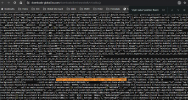
This does not work, the style is within the callus.js that overrides the css, the only way is to remove that code from the callus.jsScreenshot 2024-02-05 182248.png
 
  • Like
Reactions: CostasT_3CX
Hi @Lhot,

You might want to try overriding the CSS styling of the chat bubble by using (!important) to anchor it at the top of your webpage. Please note that our Chat bubble was designed to expand upwards, so you will likely not be able to open and interact with the chat if you do this...

As such, you might be better off leaving the chat bubble in the bottom right corner as it is by default.
I think the better option would be for the folks who write the 3cx plugin for Wordpress to simply add the ability to move the icon to different locations, or even make it dockable. Sadly, other WP features often use the bottom right, not to mention the Google Authenticator v2 icon. The more configuration the better when it comes to wordpress!
 
Status
Not open for further replies.

Latest Posts

Forum statistics

Threads
111,973
Messages
590,075
Members
164,895
Latest member
jasonkkrause