How to change system time 3CX v20 debian

Status
Not open for further replies.

bytesolutions

Bronze Partner
Advanced Certified
Joined
May 30, 2016
Messages
80
Reaction score
10
Good morning everyone.
A few days ago I changed the server of my 3CX v.20 debian configuration and inadvertently I didn't notice that the new server has a totally wrong date and time set. How can I fix it remotely? 3CX web interface or terminal?
Thank you all
 
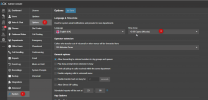
The server time zone can be set from the 3CX server options

1717502166254.png

The actual server clock will need to be done from within the Operating System itself.
 
Check your host time if using hyperv.
 
Thank you. This is the function I need. Unfortunately, I don't have access to the command line of the PC with 3CX on board (it's 30km away).
I saw that it is possible to access Debian via SSH, unfortunately the SSH port on Debian 12 seems disabled by default. Can you confirm?
Do you know another way to access the Debian command line remotely?
Thank you very much
 
As far as I know if installed from 3cx iso, SSH is open, as of v18, I just did upgrades not fresh install
 
  • Like
Reactions: bytesolutions
As far as I know if installed from 3cx iso, SSH is open, as of v18, I just did upgrades not fresh install
I confirm that SSH is open. I connected via SSH a little while ago, I adjusted the date and time and now the system works perfectly! I took the opportunity to also enable NTP client.
Thank you very much!
BR
 
Status
Not open for further replies.

Latest Posts

Forum statistics

Threads
111,952
Messages
589,888
Members
164,843
Latest member
sambannoura