how to find what happened in call logs

Status
Not open for further replies.

steve-sydney

Silver Partner
Basic Certified
Joined
May 31, 2018
Messages
172
Reaction score
49
Hi Team,

I have a client who had license limit reached today but swears only 2 people were at work "so its just not possible". Where can i see which extensions were on a call at that time?

Your 3CX license limit has been reached. This means that you cannot make any more calls at this time.
Active calls: [742,743,745,746,747]

:)
 
Depends on what your license is.

It could be that you had more callers coming in (Queue?)

or maybe staff were also trying to transfer calls or listen to voicemail too, these are also classed as sim calls.

You'd have to look in to your activity log but depending on what the logging level is set at, as it may not provide details logging but It should at a minimum say what calls were made.
 
  • Like
Reactions: Evolute IT
I guess you use a 4 SC licence so even with 2 people in office it can be really easy to fully use seat licence.
If you use Q for incoming calls set your Q to limit to 2 people waiting in.
How many sip channels are set on trunk side?
 
  • Like
Reactions: Evolute IT
If an extension received a call, and had Ring my Mobile at the same time enabled, then that is two licences right there, even just while the call is ringing.
 
Thanks guys, I never did quite wrap my head around what constitutes a call as i never seen clear documentation on that.
Yes its a 4sc and Ive set channels to 5 on the trunk.
Found some of the references to the active calls in the activity log but there is not quite enough detail to determine exactly what was going on at the time.
 
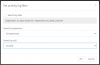
In your Activity Log > Filter you can select those calls in the Search by call (ie call number 742,743,745,746,747)
1600177923770.png
 
ooo thanks john, That will come in handy next time. unfortunately the calls i want to look at (742-747)are no longer listed.Capture.PNG
 
No problem, you can also increase the logging level in Activity Log settings and the system will also generate richer logs, and can enable log archiving for many days.

I think you are likely hitting the license limits though, 4SC is quite small so both internal calls, and external calls (inc. forwards to ext. numbers) can quickly use it up, so I don't think its likely you are facing technical issues..
 
Yes its a 4sc and Ive set channels to 5 on the trunk.
you didn't choose right licence, you have more sip channels than your licence is able to use without any other internal use.
If licence limit notification is coming very often then your best option is to upgrade to 8SC
 
you didn't choose right licence, you have more sip channels than your licence is able to use without any other internal use.
If licence limit notification is coming very often then your best option is to upgrade to 8SC
Awesome thanks for the heads up, Ive changed the channel limit to 4. That fixes the incorrect license issuse.
 
  • Like
Reactions: AWS2P
so an update. Ive had the issue again. And I'm checking the activity logs.

Your 3CX license limit has been reached. This means that you cannot make any more calls at this time.
Active calls: [966,968,969,970,971]

966 has a bunch of information i don't understand if someone can help me to decipher.
968 doesn't exist
969 has the same type of information call 966 has
970 also doesn't exist
971 is the failed call.
Ive also upgraded the logging level to medium to see if I can get more info.

Any help to understand what the logging is trying to tell me in 966 and 969 and also what might have happened to 968 and 970 will be really helpful.

Thank you
 

Attachments

  • log filter.PNG
    log filter.PNG
    14.9 KB · Views: 24
  • Call 966.PNG
    Call 966.PNG
    14.6 KB · Views: 23
Awesome thanks for the heads up, Ive changed the channel limit to 4. That fixes the incorrect license issuse.
Those are not the same thing, it will not have the desired effect.
You cannot fix this by adjusting the channel limit
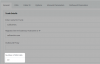
1600411886600.png
- This number is still subject to your license size
- You can still type 4 there, and reach your license limit the moment someone tries to make an internal call that counts as number 5 of the total.
- Forwarding calls outside also uses up simultaneous calls
- Remember that your license is the total simultaneous calls (internal+external)
 
Those are not the same thing, it will not have the desired effect.
You cannot fix this by adjusting the channel limit
View attachment 18196
- This number is still subject to your license size
- You can still type 4 there, and reach your license limit the moment someone tries to make an internal call that counts as number 5 of the total.
- Forwarding calls outside also uses up simultaneous calls
- Remember that your license is the total simultaneous calls (internal+external)

Is that all you could tell me about reading the log files?
 
Status
Not open for further replies.

Latest Posts

Forum statistics

Threads
111,962
Messages
589,996
Members
164,867
Latest member
swegner