This looks like the URL generated by the database integration template. Check if you have contacts in the 3CX Console > Advanced > Contacts, and delete all the CRM contacts from there. This way 3CX starts clean, and contacts are taken from your CRM template.
It seems that you want to launch that URL, but not use it to search for contacts. If you use a template, you should invoke a REST API, get a JSON or XML response back, analyze that response and return the contact details.the contact url in my template is "http://whitespots-cleaning.com/telesales_dashboard/create_bookings.php?number=[Number]".
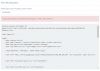
Also i have some html content in this above mentioned url. i tested in the CRM and it show me the below error.
How to handle the HTML code in the contact lookup url.
It seems that you want to launch that URL, but not use it to search for contacts. If you use a template, you should invoke a REST API, get a JSON or XML response back, analyze that response and return the contact details.
If you just need to launch that URL, you should configure it in the Web Client > Settings > Integration > Auto launch a Custom Contact URL using variables, and configure the following URL:
http://whitespots-cleaning.com/telesales_dashboard/create_bookings.php?number=%CallerNumber%
OK, so in this case you need to do the following:I have a URL for Contact Lookup which gives a JSON response. My question is, After i search a contact i need to display that details in a page that automatically popup in the screen. So how to use a HTML to display the response got from the REST API.
For Call Journaling to work you need a CRM template. Following the steps described above should be what you need.If i use a custom URL. i can search contact and display the results, But how to handle the Call Journaling? Will it work here with this custom URL method or do we need the CRM template to get the call journaling working?
OK, so in this case you need to do the following:
1) From the template you query the endpoint that returns JSON. You get the details, and generate the outputs for each required property (contact name, contact URL, phone number, etc.).
2) Then the contact will be added to 3CX contacts. And the Contact URL you return in point 1 will be passed to the Web Client.
3) When your agent receives the call at the Web Client, it will automatically launch the Contact URL you provided in point 1. This URL should return HTML because it will be shown in a browser tab.
This will be automatically updated the next time you call this number, or when this number calls you.I have one more question, Now if its a new contact we insert the Contact number and a dummy name into database, now i update the Customer name and its updated in my Database, but it still shows '3CX CONTACT' in 3CX web client. How do i update the contact name of an existing 3cx contact?
Founded in 2005, when VoIP was an emerging technology, 3CX has gone on to establish itself as a global leader in business communications.