


- Joined
- Feb 25, 2020
- Messages
- 78
- Reaction score
- 11
Hello
With all the effort and nonworking 3cx on-prem integration with the team. We decided to move to Azure cloud but now post upgrading to V20 we are missing admin console access and as per document on 3cx portal it still showing that we have to update Team SSL certificate on Admin console.
Reference 1. as per https://www.3cx.com/docs/microsoft-teams/
It says upload certificate as follow
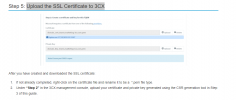
But Admin console is not accessible in V20
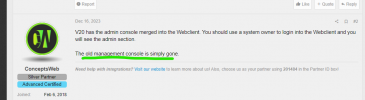
And when I am system owner and login to console

And go to 365 integration
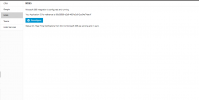
there is no option to upload certifcate.
How can i reupload certificate ?
Please help it already took so much time in RND on onprem.
With all the effort and nonworking 3cx on-prem integration with the team. We decided to move to Azure cloud but now post upgrading to V20 we are missing admin console access and as per document on 3cx portal it still showing that we have to update Team SSL certificate on Admin console.
Reference 1. as per https://www.3cx.com/docs/microsoft-teams/
It says upload certificate as follow
But Admin console is not accessible in V20
And when I am system owner and login to console
And go to 365 integration
there is no option to upload certifcate.
How can i reupload certificate ?
Please help it already took so much time in RND on onprem.


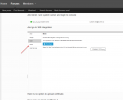
 .....
.....


