- Joined
- Jan 13, 2021
- Messages
- 6
- Reaction score
- 1
Hi everyone,
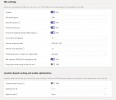
I am new to this setup, we got our MS exchange installed on primes and 3CX on primes. We also got our Azure AD and Microsoft 365 admin online. We got our SSL certificate from Go Dadday that are verifying for all our domain. I have followed the documents to setup the integration and we got the dial pad and user sync with our 3CX management console, but on the Direct Routing in MS Teams management, it kept saying TLS Connectivity status is Inactive. Then when we checked the Microsoft 365 Integration, it was saying as follow:
We checked the Teams User setting, they all have MS Phone licence and phone number attache to it.
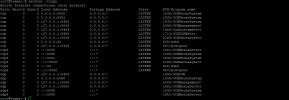
We open port as follow, 5000, 5060-5062, 5090, 9000-9398, 10600-10998, 9040, 3478, 5066
We have left the system connected for over 24h, and nothing change.
I am new to this setup, we got our MS exchange installed on primes and 3CX on primes. We also got our Azure AD and Microsoft 365 admin online. We got our SSL certificate from Go Dadday that are verifying for all our domain. I have followed the documents to setup the integration and we got the dial pad and user sync with our 3CX management console, but on the Direct Routing in MS Teams management, it kept saying TLS Connectivity status is Inactive. Then when we checked the Microsoft 365 Integration, it was saying as follow:
- Real Time Notifications to Microsoft 365 changes will not work because it seems that HTTPS port forwarding is not configured. This means that when changes occur, they will not be updated real time. A synchronization will still occur every night.
- Code: InvalidRequest Message: The underlying connection was closed: Could not establish trust relationship for the SSL/TLS secure channel. Inner error: AdditionalData: date: 2021-09-28T00:10:15 request-id: 56dde1c0-53ee-49ad-aa38-fef6ddd7b2fe client-request-id: 56dde1c0-53ee-49ad-aa38-fef6ddd7b2fe ClientRequestId: 56dde1c0-53ee-49ad-aa38-fef6ddd7b2fe
We checked the Teams User setting, they all have MS Phone licence and phone number attache to it.
We open port as follow, 5000, 5060-5062, 5090, 9000-9398, 10600-10998, 9040, 3478, 5066
We have left the system connected for over 24h, and nothing change.