Solved Import CSV contact files

Status
Not open for further replies.

ltifoski

New User
Joined
Jul 29, 2017
Messages
39
Reaction score
0
Dear,

I try import the csv file with my contacts in 3CX phone system 15. But i get error stating that the mobile column is missing. However, it is correct and unrecognized. Can you help me?

Thank you.

Lucas Tifoski.
 
Hello @ltifoski ,

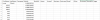
Can you post a sample of your csv with sensitive information changed? Make sure to include the column headers.
 

Attachments

  • conta.PNG
    conta.PNG
    13.8 KB · Views: 270
From the screenshot it looks fine, although I meant that you could paste it as text here so i can try it.
What you could try though is the following:
1. Add a dummy contact through the management console
2. Export contacts
3. Open the exported file and paste your contacts in that file
4. Try importing that file and see if it is accepted

This will ensure that the column header format is correct.
 
I've tried it this way and it did not work. Is there any other way?
 
From the screenshot it looks fine, although I meant that you could paste it as text here so i can try it.
What you could try though is the following:
1. Add a dummy contact through the management console
2. Export contacts
3. Open the exported file and paste your contacts in that file
4. Try importing that file and see if it is accepted

This will ensure that the column header format is correct.


I've tried it this way and it did not work. Is there any other way?
 
@ltifoski
I have sent you a PM, please check your inbox.
 
Dear!

I solved the problem:

The problem is; in the .csv file when it should only be,

I solved the problem by opening the file with notepadd ++ and substituting; per ,
 
Glad the issue is resolved!
 
Status
Not open for further replies.

Forum statistics

Threads
111,875
Messages
589,508
Members
164,723
Latest member
aman-pandey