Improved AI Call Summaries in V20 Update 10

LeonidasG_3CX

Product Manager
Staff member
Joined
Nov 19, 2008
Messages
2,176
Reaction score
670

Update 10 makes AI call summaries more useful by adding notes and action items.​

A call summary should tell you more than just what was said. With V20 Update 10, 3CX AI call summaries now include Notes and Action Items alongside the existing summary. This gives support, sales and other teams a clearer view of the call outcome, important...
Continue reading the Original Blog Post.
 
Great News Thanks
 
I'm on Update 10 RC 2 and using the 3CX AI server on a Mac Mini. Call transcriptions are working fine, but the summaries don't show up. Do these show in the normal recordings area? Do I need to manually enable summaries?
 
I'm on Update 10 RC 2 and using the 3CX AI server on a Mac Mini. Call transcriptions are working fine, but the summaries don't show up. Do these show in the normal recordings area? Do I need to manually enable summaries?
When you receive an email with the transcription, it does not contain them? Were any changes done to the summary prompt while testing at some point?

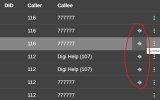
In general, if you go to the recordings view, the call summary pops up when you click the "wave icon":
1793340887498.png
 
When you receive an email with the transcription, it does not contain them? Were any changes done to the summary prompt while testing at some point?

In general, if you go to the recordings view, the call summary pops up when you click the "wave icon":
View attachment 52750
Hmm, I don't get emails with transcriptions from calls. Only for voicemails.
No changes made to the summary prompt, I've reset it for good measure.

If I go to the recordings view, the transcript is available, but the wave icon and summary arent. If I press the 3 dots, summary is greyed out
 

Forum statistics

Threads
112,375
Messages
592,174
Members
165,550
Latest member
Urs_S4A