- Joined
- Jul 11, 2020
- Messages
- 396
- Reaction score
- 152
Hi Everyone,
We are testing 3CX with Net2Phone SIP trunks to possibly begin selling our customers alongside our current PBX offering. I am trying to setup the caller ID formatting following the directions from: https://www.3cx.com/docs/cid-reformatting/
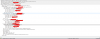
Net2Phone sends 11 digit caller ID numbers to us and I made the following format rule. But the caller ID still shows 11 digits

Any help is appreciated.
Here is the setup:
3CX Version: 16.0.619 Professional Annual
Server OS: Debian 9
Server is on premise and firewall check has passed
We are testing 3CX with Net2Phone SIP trunks to possibly begin selling our customers alongside our current PBX offering. I am trying to setup the caller ID formatting following the directions from: https://www.3cx.com/docs/cid-reformatting/
Net2Phone sends 11 digit caller ID numbers to us and I made the following format rule. But the caller ID still shows 11 digits
Any help is appreciated.
Here is the setup:
3CX Version: 16.0.619 Professional Annual
Server OS: Debian 9
Server is on premise and firewall check has passed


 isplay” value, i.e. if the call has been received with +18135910130, the display will still show this number, while the “core part” of the number to be dialed has been updated.
 We are wanting to just see ten digits on the caller ID.