Solved inbound calls get 'feature not available,...' at random times. Help!

Status
Not open for further replies.

Robbejanvdw

SOHO User
Joined
Feb 19, 2018
Messages
16
Reaction score
1
Hi,

Since late we hava a problem with our inbound calls.

Everything worked fine until we switched our unifi usg to a udm-pro. At the same time we switched the router our pc with 3 cx crashed. (this was just coincidence and my fault as i mistakenly switched the pc off during a windows update)

We reinstalled it on a new pc, everything works, except our incoming calls.

But sometimes if people call they get the message 'feature not available, please contact the administrator'.
If we make a outbound call or if i just click 'enable all' in sip trunks we can receive incoming calls again.

All ports are open at our unifi router and sip alg is disabled. And the fact you hear that message from 3cx, does tell me the call is received by the pbx?

Please can someone help to find the problem, we are on the edge to switch to another pbx. We are a hotel and if we lose some incoming calls this is very damaging for us.
Thanks a lot!
 
The message you are hearing is played when the PBX routes a call to a component that's not available in the 3XC Edition being used.

You could quickly make sure that the 3CX License is activated on this PBX and that it is a PRO/ENT edition key by going into "Settings >> License". Also click on the "Refresh License Key Information" to make sure you do not get any error messages possibly indicating that the PBX cannot reach our activation servers.

The above is usually the case for such issues though one specific detail you provide leads me to believe that something else is happening in your case. Is there any chance the same SIP Trunk Account was ever configured on a different PBX that's of a lower License Key edition? It may be that you have the same SIP Trunk configured on two different PBXs, and incoming calls alternate from one to the other depending on which SIP Trunk registered last. The fact that an Outbound call fixes the issue may mean that you are forcing the SIP Trunk to re-register to the correct PBX.
 
  • Like
Reactions: Evolute IT
Already tried to renew the license key. as i already have red this in different threads. But it is not the solution.

So The fact we switched pc could be an issue? How can i solve this?
 
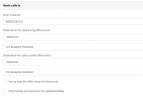
Where do incoming calls normally route? Reception extension, IVR, Queue? Have you had a look at the Activity Log, for any clues as to where a failed call is trying to go?
 
I route them to the Reception extension 131. (see image)

I'll look into the activity log as soon as the problem shows up. And post the info here.

1627456023898.png
 
@Robbejanvdw
It may be that you have the same SIP Trunk configured on two different PBXs, and incoming calls alternate from one to the other depending on which SIP Trunk registered last. The fact that an Outbound call fixes the issue may mean that you are forcing the SIP Trunk to re-register to the correct PBX.
Also please do let us know if the above may be a possibility.
So The fact we switched pc could be an issue? How can i solve this?
Do you mean that the PBX was installed on a different machine and you moved it? If yes, have you uninstalled it completely from the old machine?
 
Hi,

No, we only have one PBX and is only configured on this one.


For the second question: The first pc crashed, so I can't uninstall it anymore.. And i made a fresh reinstall on the second pc with and used the backup of the crashed pc.
 
For the second question: The first pc crashed, so I can't uninstall it anymore.. And i made a fresh reinstall on the second pc with and used the backup of the crashed pc.
So the old PC is not up and running and not connected to the Internet correct? If so then it shouldn't be an issue. As leejor mentioned looking through the activity log for such a call may be the next best step but do remember to enable Verbose Logging first from within "Dashboard >> Activity Log >> Settings".
 
Hi!

I found the problem, just as you mentioned it was a second PC that was running 3cx that was causing the problem.
In the heat of the moment the pc crashed, I rapidly started to install it on my main pc so i could start up as soon as possible. but had forgotten i have done this. This system was still running and causing the interference.

Now I uninstalled the system on my main pc and everything should be ok.

I began to think after you mentioned the 2nd pc. So thank you to help me with the problem!!

Ps: I feel stupid :)
 
  • Like
Reactions: ChrisC_3CX
No worries, as long as everything is sorted!:)
 
Status
Not open for further replies.

Forum statistics

Threads
111,974
Messages
590,081
Members
164,899
Latest member
mazet