Inbound FAX from YEASTAR T410 FXO to 3CX dropped

Status
Not open for further replies.

supermansilver

Free User
Joined
Jan 15, 2021
Messages
12
Reaction score
1
The 3CX fax server assigned extension was 888. Someone tried to fax our office, it will answer by the YEASTAR T410 then answered by the 3CX IVR. When you press the extension 888 it give you FAX Tone. However, it will not go through and you will notice the line was dropped. I don't know if the problem was from Yeastar or 3CX but as far as the connection is concerned I think it was in the 3CX part as it was already answered the call. I hope someone can help.

Note: The fax was coming from an analog fax machine.
 
The fax needs to be sent directly to the fax server extension of 888 instead of going through the IVR.

You will need an inbound rule to send calls from that port on the Yeastar to extension 888.
 
I will try this one. Thank you.
 
Is there a way that 3CX identifies if the incoming call is FAX?
 
It can't identify the call as a fax. You have to send fax calls to the fax server extension so that it will listen for fax tones.
 
I've created a new trunk to direct the fax call to the FAXSERVER. However, the IVR still answer the call. Did I missed something in the inbound?
 
When you say the IVR answered do you mean the IVR than answers your main number calls?

If so then you may have call identification issues, so the PBX ends up sending the call to the "Catch all" destination.
 
how to verify this "Catch all" destination issue?
 
I imagine you create a new trunk as you said, and have pointed the destination of the trunk to the FAX extension through the use of Inbound Rules. If you havent done it this way then you should do that now

Then, check under your trunk settings "General > Route calls to" is this pointing to the IVR while the inbound rule is pointing to fax extension?
 
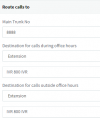
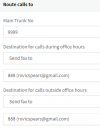
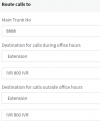
This is my Two SIP Trunk:

1611283779990.png


Then this is the Route Calls of the Generic coming from my FXO Gateway:

1611283843005.png

Route Calls from FAX SIP Trunk

1611283896231.png

I don't have any inbound Rules


This is my YEASTAR call policy:
1611283990166.png
as you can see the route ID 2 was intended to the extension 9999 which the IVR still answers.
 

Attachments

  • 1611283662853.png
    1611283662853.png
    9.6 KB · Views: 1
  • 1611283728683.png
    1611283728683.png
    3.1 KB · Views: 2
Then it would appear that the calls coming in from the unsupported gateway are still matched against your main trunk.

It may be possible to differentiate them but you will have to do manual work to get this work

- run a capture to see what the gateway sends to 3CX
- then check to see what value the PBX uses to match the call

I cannot help you with this directly, but I can provide you with links to our guides so you can better understand
https://www.3cx.com/docs/sip-trunk-inbound-calls/

Alternatively, consider using a supported gateway, here is an example of a gateway that differentiates its 4 analog ports as 00000, 00001, 00003 so you can have inbound rules based on the DID https://www.3cx.com/voip-gateways/grandstream-fxo/
 
Status
Not open for further replies.