Installing 3CX on Windows

Status
Not open for further replies.

KaterinaK_3CX

Joined
Feb 24, 2016
Messages
246
Reaction score
36
This guide covers all the configuration required to install 3CX on Windows. It covers system requirement checks, including supported VM platforms, network and firewall requirements.

Read the Guide.
 
Last edited:
Hello
i connect from the portal with extension but from the welcome message i dont get the password it was an extension already being use previously
i re assign it to a new user
how can we get it ?
Thanks
Hit the reset password button in the admin or login page.
 
Hello
but Normally from the welcome email the password is there, no ?
Thanks
 
Hello
but Normally from the welcome email the password is there, no ?
Thanks
No, the password is now hashed in the database and can't be in the welcome email anymore. Only a link to reset it.
 
ok but
how a new peoples can get there password the first time then ?
it was not like that before when i start in 2022 in my welcome email i was having the password in the email
Ty
 
ok but
how a new peoples can get there password the first time then ?
it was not like that before when i start in 2022 in my welcome email i was having the password in the email
Ty
When you send the password reset email, a link to make a password will be included. You can't see current password, it's not included for new users either. All you can do is reset it via the link (officially speaking).
 
Can`t wait until the Windows V20 installer is ready. Can`t do any testing until that comes out.
 
the version number (in the download file is still 20.0.0.1620) is this the update 1 beta2 (windows alpha?)

regards,
 
the version number (in the download file is still 20.0.0.1620) is this the update 1 beta2 (windows alpha?)

regards,
Hi, We don’t release installations on beta, you can update the system once installed.
 
Hi, We don’t release installations on beta, you can update the system once installed.
Hi Charles, what is the version number? windows still shows this as 20.0.0.1620 no update available.
 
@joe Greeve Have you used the new V20 on Windows ALPHA version?
 
just checked, the link from the blog, reinstalled yesterday. no update flag available. still on 1620

regards,

jos
 
Hello
i connect from the portal with extension but from the welcome message i dont get the password it was an extension already being use previously
i re assign it to a new user
how can we get it ?
Thanks
Reset the password
 
@Charles_3CX, it still being reported as version 20.0.0.1620 not as update 1. so not sure if i'm testing the right version now...
 
Hello, I am trying a new install on Windows Server 2022 Datacenter. The installer gets to 99% then fails and rolls back. I went snooping through the error log and came across these particular lines where Postgres fails to start for some reason. Can you help me out with this?


MSI (s) (E8:08) [14:08:16:648]: Executing op: ActionStart(Name=InstallPostgresService,,)
MSI (s) (E8:08) [14:08:16:648]: Executing op: CustomActionSchedule(Action=InstallPostgresService,ActionType=3090,Source=C:\Program Files\3CX Phone System\Bin\pgsql\bin\pg_ctl.exe,Target=register -N "3CX PhoneSystem Database Server" -U .\LocalSystem -P EF11C93F-3E70-4D6E-A2C9-AC87944EC028 -D "C:\Program Files\3CX Phone System\Data\DB",)
CustomAction InstallPostgresService returned actual error code -1073741515 (note this may not be 100% accurate if translation happened inside sandbox)
MSI (s) (E8:08) [14:08:16:845]: Note: 1: 1722 2: InstallPostgresService 3: C:\Program Files\3CX Phone System\Bin\pgsql\bin\pg_ctl.exe 4: register -N "3CX PhoneSystem Database Server" -U .\LocalSystem -P EF11C93F-3E70-4D6E-A2C9-AC87944EC028 -D "C:\Program Files\3CX Phone System\Data\DB"
MSI (s) (E8:08) [14:09:32:040]: Product: 3CX Phone System -- Error 1722. There is a problem with this Windows Installer package. A program run as part of the setup did not finish as expected. Contact your support personnel or package vendor. Action InstallPostgresService, location: C:\Program Files\3CX Phone System\Bin\pgsql\bin\pg_ctl.exe, command: register -N "3CX PhoneSystem Database Server" -U .\LocalSystem -P EF11C93F-3E70-4D6E-A2C9-AC87944EC028 -D "C:\Program Files\3CX Phone System\Data\DB"
MSI (c) (A0:88) [14:10:00:812]: Doing action: FatalError
Action start 14:10:00: FatalError.
 
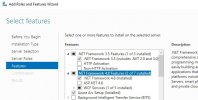
This error code happens when you don't have the correct version of .net installed on the system.
 

Attachments

  • server2022.jpg
    server2022.jpg
    62.4 KB · Views: 6
Status
Not open for further replies.

Latest Posts

Forum statistics

Threads
111,973
Messages
590,075
Members
164,895
Latest member
jasonkkrause