Integration with a Windows Application

Status
Not open for further replies.

Stefanol

Forum User
Joined
Dec 16, 2019
Messages
19
Reaction score
1
Good evening,
I have to integrate the PBX into my Windows application, not a web application

I have two needs:
  1. start calls directly from the application
  2. when a phone call arrives from a number that is in the archive, to display the customer name
Solutions:
1.To answer the first request, I use a link like this type
https://mionome.my3cx.it/webclient/#/call?phone=123456
which opens a page with the number, the user just has to start the call

2. To answer the second point I found this guide
https://www.3cx.com/docs/crm-integration/
where it is indicated as the only solution to create a Web service that allows communication with the PBX
I guess when the user answers a phone call, your PBX queries the web services to get the caller details

or are there other specific solutions for a windows application?

Thank you
Stefano
 
2. To answer the second point I found this guide
https://www.3cx.com/docs/crm-integration/
where it is indicated as the only solution to create a Web service that allows communication with the PBX
I guess when the user answers a phone call, your PBX queries the web services to get the caller details
Actually, in this case 3CX will invoke the web service when the call arrives to 3CX, even before it is sent to the agent.

or are there other specific solutions for a windows application?
You can also try with TAPI. If your app is TAPI aware, you can use TAPI to make outbound calls with 3CXPhone for Windows, and also receive inbound calls notifications.
 
You can also try with TAPI. If your app is TAPI aware, you can use TAPI to make outbound calls with 3CXPhone for Windows, and also receive inbound calls notifications.

Hi
Only inbound calls Notification or I can take the caller's number ?
Thank you
Stefano
 
Only inbound calls Notification or I can take the caller's number ?
You receive the caller number as well in that notification.
 
Ok
if i choose the web service as a solution can i distribute it in localhost?
Thanks
 
Ok
if i choose the web service as a solution can i distribute it in localhost?
Thanks
Yes, you can, but you need to handle all the deployment (maybe installing a web server), and ensure that you don't use any port in the range of ports used by 3CX:
https://www.3cx.com/docs/ports/
 
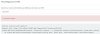
I get this error
for the moment I am not using authentication
what could it be?
thanks
Stefano
13945
 
yes
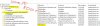
this is ISS Express
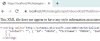
below you can see the answer from a browser
13963
 
yes
this is ISS Express
below you can see the answer from a browser
View attachment 13963
Isn't IIS Express in SSL?

Try https instead in your 3CX.

By the way, IIS Express is not for production. Only for development and testing.
 
only logged in once
IIS Express uses Self-signed SSL certificates, could this be the issue?

13973

By the way, IIS Express is not for production. Only for development and testing.
yes this is a testing machine

Thank you
 
It is fairly possible that the self-signed doesn't work.

Try hosting the app on a different server that has a certificate or that SSL is disabled so you can use HTTP.
 
IIS Express uses Self-signed SSL certificates, could this be the issue?
Yes, the self signed certificate will be rejected, you need to install it locally as a trusted certificate, and then the connection should be established.
 
  • Like
Reactions: Evolute IT
Last edited:
Yes, the self signed certificate will be rejected, you need to install it locally as a trusted certificate, and then the connection should be established.

now the SSL badge is ok but it doesn't work, what can it depend on?
 

Attachments

  • Cattura.JPG
    Cattura.JPG
    36.7 KB · Views: 3
  • Cattura1.JPG
    Cattura1.JPG
    39.4 KB · Views: 3
now the SSL badge is ok but it doesn't work, what can it depend on?
What certificate folder did you put it in? System or User?

My guess is the certificate is invalid system-wide but only in your user it has been added.

Search Google on how to globally trust a self-signed certificate and you'll find a bunch of tutorials.
 
I generated a certificate directly from IIS
then I exported it and uploaded it to the root certificates of the local computer
 
I generated a certificate directly from IIS
then I exported it and uploaded it to the root certificates of the local computer
The certificate is rejected because it's self signed. You need to install it locally as a trusted certificate.
 
  • Like
Reactions: Evolute IT
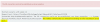
I see, but the error you get is pretty clear:
14067

Maybe you should check in Stack Overflow how to deal with this...
 
  • Like
Reactions: Evolute IT
Status
Not open for further replies.

Forum statistics

Threads
112,325
Messages
591,898
Members
165,479
Latest member
Senergia