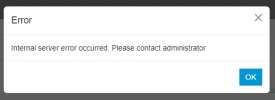
"Internal server error occurred. Please contact administrator" on users tab

Status
Not open for further replies.

dericslab

Free User
Joined
Apr 10, 2024
Messages
1
Reaction score
1
Hello all.

We are using 3CX SMB free 10, and it's hosted by 3CX.
We have 1 desktop Yealink T54 Router Phone and 3 wireless phones via a Yealink DET Base W70B.

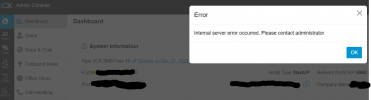
When I click on the users tab in the Admin Console, I get the following error: "Internal server error occurred. Please contact administrator".

I can access all the other pages and settings on the Console with my admin access, but not the users tab.
We have not set up any other user access for the console and I can log in without issues.
I was able to access the users tab a few days ago when the system was set up and has been running since then. (System has been running around a week)
Any suggestions on how to resolve this please?

Thanks

Deric
 

Attachments

  • pic.png
    pic.png
    46.1 KB · Views: 38
  • Like
Reactions: WillinPhilly
@jbruse Can you please check again if you still have this issue?
 
  • Like
Reactions: DimitrisL_3CX
Problem is solved, thx a lot.
 
You are welcome ;)
 
I'm not sure if any custom templates are in use. Is there a way to check without being able to access the phones or users tab?
 
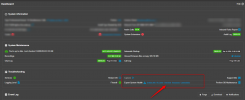
From V20 Dashboard you can select the Overview option that will give information whether any custom templates are in use:

1713409657630.png
 
That gives me a HTTP 500 error. Is there anyway I can downgrade back to v20 from update 1?
 
Can you please check and let us know if you still experience any issue?
I am having the same issue SMB Pro, I have cleared catch and also tried other browsers, the users tab in admin seems to not be working and just giving this error, I am unable to add any new users or modify current it was working prior update

Internal server error occurred. Please contact administrator
 

Attachments

  • Screenshot 2024-04-18 202949.png
    Screenshot 2024-04-18 202949.png
    6.1 KB · Views: 14
Last edited:
@DannyLee80 Can you please try again and let us know?
 
@WillinPhilly Are 3CX Services running? Also are you accessing with the FQDN?
 
  • Like
Reactions: DannyLee80
I'm getting the same error when you go to a client's DASHBOARD. If I click ok, then everything works fine. Tried all the things above.
I updated to the latest beta as they had park issues were fixed by the update, but then created this error.
 
@tronic
Your status allows you to open a ticket with us, feel free to do that so we can have a look and get the logs too.
 
@tronic Is this an SMB installation?
 
@tronic Is this an SMB installation?
no a cloud hosted installation in AWS. Ive sent a support ticket as per Olegr suggestion. They have said to restart the services so will do this and get back to them.
 
Let us know the outcome ;)
 
Login to your 3CX instance via SSH and run: chmod 777 -R /var/lib/3cxpbx/Instance1/Data/Http/Interface/provisioning/
 
Login to your 3CX instance via SSH and run: chmod 777 -R /var/lib/3cxpbx/Instance1/Data/Http/Interface/provisioning/
What an absolutely terrible idea (from a security standpoint). It's a hop, skip, and jump away from me being able to run whatever code I want against your server.
 
  • Like
Reactions: bitn2 and OlegR_3CX
Login to your 3CX instance via SSH and run: chmod 777 -R /var/lib/3cxpbx/Instance1/Data/Http/Interface/provisioning/
So are you saying you had the internal server error popup, and you changed the provision folder permissions, and then It's now gone?
I'm interested as I still have one system that does this.

I would agree with SweetAction that opening up the provisioning folder to 777(open access for all users) is not a good idea. I would send a ticket to 3CX and get it fixed properly.
 
  • Like
Reactions: OlegR_3CX and bitn2
I had an error like this after upgrading to v20 on one system when clicking on the "dashboard" tab. Saw this forum, so started investigating permissions. Turns out one of the subfolders under provisioning (it was one of the firmware folders) had the wrong owner. Did a "chown -R phonesystem: phonesystem " on that folder to fix it and internal server error popup went away.
 
Status
Not open for further replies.

Forum statistics

Threads
112,149
Messages
590,965
Members
165,170
Latest member
SupportRock