


- Joined
- Apr 10, 2024
- Messages
- 1
- Reaction score
- 1
Hello all.
We are using 3CX SMB free 10, and it's hosted by 3CX.
We have 1 desktop Yealink T54 Router Phone and 3 wireless phones via a Yealink DET Base W70B.
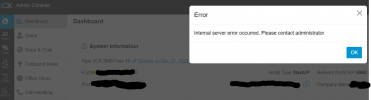
When I click on the users tab in the Admin Console, I get the following error: "Internal server error occurred. Please contact administrator".
I can access all the other pages and settings on the Console with my admin access, but not the users tab.
We have not set up any other user access for the console and I can log in without issues.
I was able to access the users tab a few days ago when the system was set up and has been running since then. (System has been running around a week)
Any suggestions on how to resolve this please?
Thanks
Deric
We are using 3CX SMB free 10, and it's hosted by 3CX.
We have 1 desktop Yealink T54 Router Phone and 3 wireless phones via a Yealink DET Base W70B.
When I click on the users tab in the Admin Console, I get the following error: "Internal server error occurred. Please contact administrator".
I can access all the other pages and settings on the Console with my admin access, but not the users tab.
We have not set up any other user access for the console and I can log in without issues.
I was able to access the users tab a few days ago when the system was set up and has been running since then. (System has been running around a week)
Any suggestions on how to resolve this please?
Thanks
Deric


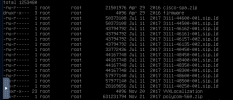
 honesystem * in our instance provisioning directory, and the error went away


