Invalid Option When Setting up the Debian ISO

wn3@2025

Customer
Joined
Apr 10, 2025
Messages
5
Reaction score
0
I have setup new licensed 3CX VM for production, however I get when I am going through the first stages of setup, I get error "Invalid Option"
 

Attachments

  • uploading config.PNG
    uploading config.PNG
    35.8 KB · Views: 30
  • on premise setup.png
    on premise setup.png
    29.5 KB · Views: 30
  • invalid .PNG
    invalid .PNG
    22.8 KB · Views: 30
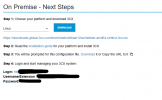
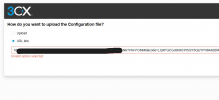
The same problem occurs when the configuration file is downloaded from the 3CX portal (image 2) and uploaded again in this dialog using the upload option (image 3)?
 
So how do I solve for this problem?
 
The same problem occurs when the configuration file is downloaded from the 3CX portal (image 2) and uploaded again in this dialog using the upload option (image 3)?
How is the answer?
 
To be honest, you answer confused me more:(..

Do i need to set it up afresh??
 
To be honest, you answer confused me more ...
That may be so. I didn't give you an answer. I've asked you something twice now and received no answer.

Let's start again from the beginning.

You're having a problem setting up a new 3CX for the first time. You've briefly described it and attached three images.

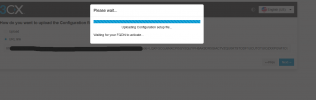
The images show that you completed the setup in the 3CX portal, see on-premise-setup.png. There, you copied the link (not the file) as seen in uploading-config.png and submitted it to the 3CX setup wizard. You described this doesn't work, as seen in the image invalid.png.

My question was and is:
If you don't copy the link in the dialog point 3 in the image on-premise-setup.png, but Download the generated setupconfig.xml file there and Upload this file during the initial setup (seen in image uploading-config.png) in the 3CX:
Does it work or not?
 
Hi @fxbastler . Sorry for the late rsponse.
I get the same error even if I Download and upload the setupconfig.xml file.
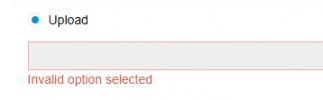
 
I get the same error even if I Download and upload the setupconfig.xml file.
Then post the slightly anonymized file here. The next step is either to contact the partner who sold you the license or to contact the 3CX support for a fee.

Such a config file is generally always created correctly; I don't know of any other cases where this is the case. There may still be a problem with the license, the FQDN, its linking or the user information. This can probably only be resolved with 3CX.
 
I have managed to get it working. Had to re-initate the install and chose a different country.

Apparently, the country I was selecting some =how is not supported.
 
Hi,

I ran into the same issue. 2 times it worked flawlessly.
The third one says invalid option selected.

1755599144948.png

Same Error when I try to use the link, that is provided

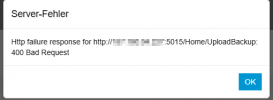
When I try the option to restore from backup, I get this error
1755599264563.png
When trying to restore Backup form CLI, I get the following error:

2025/08/19 08:42:13.614|0001|Info| ------------|Log is started
2025/08/19 08:42:13.678|0001|Erro| [Restore] Exception caught in 'Main()' at line 233
System.Exception: CfgServerProfile section required
at ExtensionUtils.ApplicationConfiguration.FromPhoneSystem(String applicationName)
at RestoreCmd.Program.Main(String[] args)

Any Clue how to solve this?
Im really running out of ideas.
 

Forum statistics

Threads
111,956
Messages
589,928
Members
164,860
Latest member
maxpcc