Solved Invalid SSL

Status
Not open for further replies.

Joel98

Customer
Basic Certified
Joined
Aug 25, 2020
Messages
22
Reaction score
5
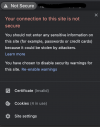
We have setup a new PBX with a 3CX FQDN. Whenever I navigate to the management portal, I can see that the SSL is not working correctly. When looking at the SSL I can see it is "invalid". We have an active licence, can anyone advise on how to correct this?
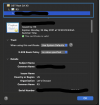
Screenshot 2021-04-15 at 12.21.55.png
 
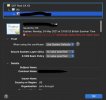
Based on the provided screenshot the certificate is in fact valid. With what browser are you accessing the Management Console with?
 
Hi Chris,

I have attached a new screenshot, I attached the wrong one, sorry! I am using Google Chrome.I have attached another screenshot when using Safari. I have tested this on other computers including Windows based systems and still receive the same message

Many Thanks,
 

Attachments

  • Screenshot 2021-04-15 at 12.40.58.png
    Screenshot 2021-04-15 at 12.40.58.png
    92.3 KB · Views: 8
  • 2021-04-15_14h47_33.jpg
    2021-04-15_14h47_33.jpg
    73.2 KB · Views: 8
What are you using in the address bar of the browser when trying to access the Management Console? Are you actually using the FQDN?
 
Hi Chris,

I was using the IP address to navigate to the portal, upon using the FQDN the error has disappeared.

Many Thanks,
 
Glad to hear!
 
Status
Not open for further replies.

Forum statistics

Threads
111,974
Messages
590,081
Members
164,899
Latest member
mazet