Solved IP change help required, DOWN/DOWN URGENT

Status
Not open for further replies.

thereverendd

Free User
Joined
Mar 31, 2019
Messages
66
Reaction score
5
We changed ISPs and got a new IP address yesterday morning. We went into the dashboard and did all the tricks we seen on the forums listed below such as

  • Change to Static IP
  • Change Back to Dynamic IP (Keeps saying detecting for last 18+ hours even after restart of ALL services and REBOOT of server)
Can someone PLEASE help me with this issue my phones are down and I was up till 1am trying to get this to work. All help is GREAT.. Thank you in advance.

Oh this is the message in the activity LOG : Your public IP has changed and 3CX updated your FQDN records from .xxx.xx.xx.xx to .
where it says to . that is actually what it says there is NOTHING after that.
 
IF I were to REINSTALL V16, this is V15.5. Is there a way to use the SAME FQDN on the new installed version and import all my settings to the new version install so that my remote extensions do not have to be reprovisioned in the end?

When is the last backup for made of 3cx? if none, try and make one now.
 
Rule #39: There is no such thing as coincidence :cool:
 
  • Like
Reactions: nub
When is the last backup for made of 3cx? if none, try and make one now.

Made a backup JUST before i changed everything over.
 
If you are talking about v16 update we've updated a few 3CX systems to v16 and despite seeing 1 similar instance on the forums I cannot understand that an update to a non beta/release candidate to cause such issues - that would not be good.
 
There was an UPDATE available not to v16 but to a later version of 15.5.??? that i did and then at same time was changing IP address. wanted all to be up to date and POOF.. this happened.
 
Your FQDN is bound to public IP address and licence key, if you backup and reinstall this should not be an issue.

It's when you are moving servers to other network locations that will present problems if not unbound.
 
Made a backup JUST before i changed everything over.

Good,

So you have a backup from v15 before the problems started.

You could try a reinstall from said backup.
 
Your FQDN is bound to public IP address and licence key, if you backup and reinstall this should not be an issue.

It's when you are moving servers to other network locations that will present problems if not unbound.

How do you unbound it? Keep in mind I changed ISPs so.. the Public IP has in fact changed.
 
  • Like
Reactions: eddv123
  • Like
Reactions: nub
I believe you can still do this now from your 3CX portal, or ask 3CX support, this used to depend on the licence also.

When you installed the system originally did you select dynamic IP address or static.
 
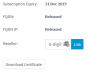
I am not sure it was a while ago. Thinking I went with Dynamic but unsure.. Let me check my portal 1 moment...........................................This is what it says in there., but i bought v15.5 so.. does that matter?

10057
 
Maintenance is good, FQDN is released, you will rebind on reinstalling the PBX.
 
Ok so best to re-install with v16? even tho i bought v15?
 
The key will upgrade as part of the process anyway. My only concern is in my view v15.5 is a completely stable version so there maybe some underlying issue here.
 
Also when re-installing I just noticed that the inward facing IP is different than that of the OLD one will that make a difference?
 
I am now at this point, Do I put in my OLD FQDN or do i just select LOCAL IP ???
10059
 
Only if you are using phones in local LAN mode, and you also have you NAT rule to consider if using full cone NAT.

I personally would never have the local adapter on DHCP and would statically allocate, if you are hosting in the cloud though this is less of an issue.
 
Only if you are using phones in local LAN mode, and you also have you NAT rule to consider if using full cone NAT.

I personally would never have the local adapter on DHCP and would statically allocate, if you are hosting in the cloud though this is less of an issue.

My phones are off site. So they are provisioned already to work with the FQDN that I had previously. They are Cisco 303 units. I am lost now.. do I do LOCAL IP or FQDN? or should I go back and change something?
 
The PREV. FQDN is provided by 3cx. the one that I registered my phones using
 
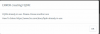
I tried to set it up using the same FQDN and get this message:
10060
 
Status
Not open for further replies.

Forum statistics

Threads
111,974
Messages
590,081
Members
164,899
Latest member
mazet