IPV6 on Hosted 3CX

Status
Not open for further replies.

AWS2P

Silver Partner
Basic Certified
Joined
Jan 9, 2014
Messages
5,076
Reaction score
1,096
Hi,
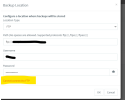
I've a new instance hosted by 3CX and i'd like to have IPV6 disabled as when it's enabled I can't reach my FTP server for backup.

Automatic 3CX VM install was natively 4SC standard, then from partner portal I Upgraded to 8SC Pro licence , and I saw a message saying VM hardware would be switched to a higher pack, but this is not the case for now, is it normal? or I misunderstood?
 
Hi @aws2p

Happy New Year

I've a new instance hosted by 3CX and i'd like to have IPV6 disabled as when it's enabled I can't reach my FTP server for backup.
Why not disable the IPv6 on your FTP to force IPv4?

Automatic 3CX VM install was natively 4SC standard, then from partner portal I Upgraded to 8SC Pro licence , and I saw a message saying VM hardware would be switched to a higher pack, but this is not the case for now, is it normal? or I misunderstood?
The hardware specs for 4 and 8 Sim calls if I recall correctly are the same so you should not see any change. If the machine is to be upgraded this will happen automatically after midnight depending on the country of the license.
 
Hi Yannis,
Best wishes for 2023,

Well on my FTP IPv6 is not running all, and not also on my ISP box , I previously noticed that if IPV6 is enabled on 3CX VMs then first DNS privileged resolution is IPV6, so as my FTP server is only available from IPV4 , i just found the way to disable IPV6 to re- gain access on it.
Otherwise I can't reach it, always connection failure and no external backup is working.
So, please stop IPV6 on VM side.
1672673504526.png
No problem with credentials.
 
Last edited:
Also Something strange with SBC Releases, added 2 SBCs one on a Pi second on W10Pro
The one running on Pi was existing on a PBX and I did setting change to connect to this one Release is 18.1.36
The second one is a W10 Pro freshly added and installed from scratch, this one after connected to 3CX received one update and now display V18.1.34

is it normal the SBC releases are not the same ?
1672672014479.png
No update pending on PBx side since several hours now.
 
Well on my FTP IPv6 is not running all, and not also on my ISP box , I previously noticed that if IPV6 is enabled on 3CX VMs then first DNS privileged resolution is IPV6, so as my FTP server is only available from IPV4 , i just found the way to disable IPV6 to re- gain access on it.
Does your FTP host name resolve to IPv6? If you do not have IPv6 enabled then it should not.


The second one is a W10 Pro freshly added and installed from scratch, this one after connected to 3CX received one update and now display V18.1.34
They should both be v18.1.36. Did you install the windows one with the new installer or did you use a previous one?
You can find the latest in the downloads section of your customer portal.
 
They should both be v18.1.36. Did you install the windows one with the new installer or did you use a previous one?
You can find the latest in the downloads section of your customer portal.
Yes, I used a previous V18 to make install, do i need now to uninstal and re-instal with latest
 
Does your FTP host name resolve to IPv6? If you do not have IPv6 enabled then it should not
Well ,sorry Yannis to ask one more time, isn't it possible to disable IPV6 on VM side.

I sent you a PM
 
Well ,sorry Yannis to ask one more time, isn't it possible to disable IPV6 on VM side.

I sent you a PM
As I mentioned in our PM you only have 2 options here:

1. Disable IPv6 resolution on your ISP box
2. Move your machine to a different hosting environment.

I am afraid we cannot make this change to an individual machine. The environment is the same for everyone so we can easily manage the thousands of instances that are already running on our hosting. If we start making individual changes to machines we will come to a point where settings and updates will not universally apply for everybody.
I understand your use case but this is something you should be able to control on your end. Since your hostname resolves to IPv6 it should also work using IPv6 or it should not resolve in the first place.
 
Yes, I used a previous V18 to make install, do i need now to uninstal and re-instal with latest
Normally you should be prompted to update but since I am not sure what version you used initially I recommend re-installing with the new version directly just to be sure.
 
Well I had a V18 SBC, but it ask only once to be updated after install and release updated was 18.1.34 since SBC was in that release ,no more update to apply to reach 18.1.36
So as you said I DL the latest and do a complete reinstal and now all is same page 18.1.36

For FTP unfortunatelly I'm not able in ISP box to disable IPV6, so for now Workaround is to reach FTP from IPV4 instead of using FQDN, not so cool but almost backup works. Tried one for test with success
 
  • Like
Reactions: YiannisH_3CX
Status
Not open for further replies.

Forum statistics

Threads
111,974
Messages
590,081
Members
164,899
Latest member
mazet
