Issue with 3cx v18 Update4 Activation

Status
Not open for further replies.

gerdelaney

Customer
Joined
Jan 3, 2023
Messages
2
Reaction score
0
3CX failed to establish a TCP connection to activate.3cx.com.

Other OVH instances im using with the same settings do not have any issue with activation

I have rebuilt and restored but its not liking activate.3cx.com im able to ping it just fine
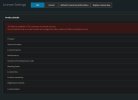
 

Attachments

  • Screenshot 2023-01-03 171831.jpg
    Screenshot 2023-01-03 171831.jpg
    62 KB · Views: 13
Hello @gerdelaney

If the phone system is currently on version 18 Service Pack 4, the activation issue is to be expected. Essentially you must update the system to service pack 5 in order for it to activate.
 
Hi thanks for the advice, the licence unfortunately lapsed over charismas break and has only been renewed the system as is wont let me update it is there any way to manually update
 
Hi @gerdelaney

In case you are not able to update the system from the Management the only option available to you now is to take a full backup, download the latest 3cx ISO from your portal.3cx.com, redeploy to a new machine using the latest 3cx iso, and restore the backup.
https://www.3cx.com/docs/manual/installing-debian-linux-pbx/
https://www.3cx.com/docs/manual/phone-system-installation-windows/

Additionally, we can advise moving the system to 3cx hosted where updates will be taken care of for you.
https://www.3cx.com/docs/switch-hosted-pbx/
 
  • Like
Reactions: GeorgeP_3CX
Status
Not open for further replies.

Forum statistics

Threads
111,974
Messages
590,081
Members
164,899
Latest member
mazet