Issue with call queue data being inaccurate

PSC-Makc

Premier Customer
Joined
Feb 7, 2025
Messages
19
Reaction score
1
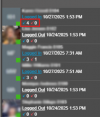
Hi all, on our system we have been having a reoccurring issue where the number of "Answered calls"(blue arrow) and "Abandoned Calls"(red arrow) under each user in a queue is almost always incorrect.
See the image below with names redacted and the important section boxed in red:
1761592889887.png

Using the "reports" tab I am able to access an accurate representation of the answered calls by user (later verified by the user).
For example, in the queue itself (under the "panel" tab) we have a user that received and answered 7 total calls in one day. The numbers below her name say she has 3 "answered calls" instead of the 7 that she claims (and was verified by the "agent in queue statistics" section).
Another Example, in the queue we have another user that had what appeared to be 27 "abandoned calls" when the number of calls the entire queue received that day was around 5.


Is there a specific area where I am able to change the configuration of this section, so that I can work to make it accurate?
Do the "answered calls" in this section have different parameters than the general reports section?
 
27 "abandoned calls" -> If they got polled and rejected a call multiple times, it would drive this up.

One point of note - do you have a scheduled Queue statistics reset that might fall within agents work hours?
 
27 "abandoned calls" -> If they got polled and rejected a call multiple times, it would drive this up.

One point of note - do you have a scheduled Queue statistics reset that might fall within agents work hours?
In this department, they do not reject calls, if they do not answer the call it should just be placed back into the queue. If only 3 calls came in the entire day, I am not sure how she would have rejected 27 calls (or rejected 1 call 27 times). She confirmed that she did not receive the calls at all (they went to another agent in the queue).

Any scheduled queue statistics are set to be done outside of working hours (11pm) according to the manager of this department.
 
Hi,

We would need to see detailed call reports to trace though exactly what is happening and check if the numbers shown are all as they should be. You can open a ticket or get call reports for a day and just walk through them counting all transfers, answers rejects etc .
 
In this department, they do not reject calls, if they do not answer the call it should just be placed back into the queue. If only 3 calls came in the entire day, I am not sure how she would have rejected 27 calls (or rejected 1 call 27 times). She confirmed that she did not receive the calls at all (they went to another agent in the queue).

Any scheduled queue statistics are set to be done outside of working hours (11pm) according to the manager of this department.
Just to reiterate what Kyriacos said (because I think you may have brushed past this).

The abandoned call # will increase if:-

- The user is pressing the "reject" on the phone / softphone
- Polling the extension exceeds "Ring Time"

So for example, you have Ext 1 in a ring all, wait time 60 seconds, ring time 5 seconds.

Every 5 seconds they dont answer is 1 abandoned statistic

so you could get X abandoned calls from the same call you've answered.
 
Last edited:
I see what you are saying. Our queue is set to a "round robin" polling strategy. Does the same thing apply to that one?

Also, could you direct me to where I can submit a ticket if we need to?
 
Yes the same thing applies if they hit the big red button to deny the call or reject it on the physical phone.

Round robin will show min of 1 abandoned call unless it hits the extension again.

You can purchase tickets via your customer.3cx.com portal or find a reseller.
 
Another addition, for this queue "ring time" is 30 seconds, the "maximum queue wait time" is 300 seconds. The queue statistics are set to be reset at 23:00 daily.
 
If the user is not hitting the reject button on the physical phone or in the PWA portal and answering within the ring time, is there another reason this could be happening?
 
Yes, if the call reaches destination no answer.
 
Thank you, I will try to keep note of this when looking through the logs. Next time I hear about this issue I will be able to compile all the needed info and provide it here.
 
  • Like
Reactions: KyriacosS_3CX
Another question that was not yet addressed- What about this case: "For example, in the queue itself (under the "panel" tab) we have a user that received and answered 7 total calls in one day. The numbers below her name say she has 3 "answered calls" instead of the 7 that she claims (and was verified by the "agent in queue statistics" section)."
 
Was any action performed on the PBX that might have reset queue etc statistics? Perhaps monitoring on a clean day where we know nobody touched the PBX in any way - so we can be sure of the complete timeline, and then correlate stats from the previous stats reset to the time you are checking what is displayed. To be sure if numbers are indeed off.
 
As far as I know, this was on a normal day when no work was being done on the PBX. If it happens again I will have more info/logs to provide.

Under the assumption that nothing was being worked on in the PBX, the stats generated in the reports tab reported the correct number (7 calls) are correct, and the number under the users name in the queue stated 3 answered calls. Where would this data be coming from? I am under the assumption that the numbers in each section may have different parameters or are generated differently. I would just like to know where I can find this out or edit those parameters.
 
We would have to go through the call logs and trace each incoming call to final hangup to be able to provide you with full detail. I suggest if you can do that for this one user, then that would be the best way to understand those numbers.
 

Forum statistics

Threads
111,954
Messages
589,921
Members
164,852
Latest member
priya