


- Joined
- May 19, 2021
- Messages
- 13
- Reaction score
- 1
We have recently upgraded our on-premise version of 3CX, which we manage ourselves. We have upgraded from v16 final to v18 update 5 build 418.
The majority of our users have desk phones, we have a handful of users which use the iOS/Android app or the web client. The app stopped working in v16 due to the app update.
Now that we are on 3CX version 18, I have tried testing the iOS app, Windows desktop app and Web client, however I am struggling to get any of them to work. I will describe the issue below.
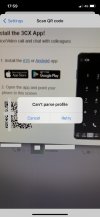
iOS app - can't parse profile
I have tried to scan the QR code from the web client, welcome email and management portal. However when scanning the QR code it returns the below. I have tried reinstalling the iOS app.
Windows Desktop App v18
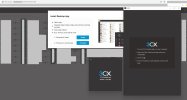
I have followed the instructions to install the app and then click the provisioning button, however I am not able to provision the app.
Web client
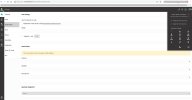
I am able to operate the web client OK, however I cannot make any calls - it only gives the option to interact with my desk phone. The call places OK, however of course I am not able to conduct the call in the web browser/on my PC as it is using the Yealink instead, which is the only option in the dropdown menu. I do not see any option to use web app PWA as per the guide, however that could be due to the version of the product.
Do you have any advice on what I should do to start troubleshooting this? As it would be handy for us to use the soft phone and mobile app in particular, or even better if they can use the web client instead of the Windows soft phone.
The majority of our users have desk phones, we have a handful of users which use the iOS/Android app or the web client. The app stopped working in v16 due to the app update.
Now that we are on 3CX version 18, I have tried testing the iOS app, Windows desktop app and Web client, however I am struggling to get any of them to work. I will describe the issue below.
iOS app - can't parse profile
I have tried to scan the QR code from the web client, welcome email and management portal. However when scanning the QR code it returns the below. I have tried reinstalling the iOS app.
Windows Desktop App v18
I have followed the instructions to install the app and then click the provisioning button, however I am not able to provision the app.
Web client
I am able to operate the web client OK, however I cannot make any calls - it only gives the option to interact with my desk phone. The call places OK, however of course I am not able to conduct the call in the web browser/on my PC as it is using the Yealink instead, which is the only option in the dropdown menu. I do not see any option to use web app PWA as per the guide, however that could be due to the version of the product.
Do you have any advice on what I should do to start troubleshooting this? As it would be handy for us to use the soft phone and mobile app in particular, or even better if they can use the web client instead of the Windows soft phone.


