- Joined
- Jan 27, 2016
- Messages
- 11
- Reaction score
- 6
Good morning, I upgraded from V18 to V20. Yealink phones in V18 provisioned correctly using the same SSL certificate installed on the PBX.
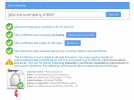
From V20, the same phones can no longer provision if the PBX uses the GoDaddy SSL certificate. I need to go to the phone and disable "Only Accept Trusted Certificates." Has anyone else had the same problem?
If the same phone is registered on another PBX, whether it's a 3CX FQDN or a custom one, the phone's configuration downloads correctly.
The phones' firmware is updated to the latest version of 3CX.
Gianluca
From V20, the same phones can no longer provision if the PBX uses the GoDaddy SSL certificate. I need to go to the phone and disable "Only Accept Trusted Certificates." Has anyone else had the same problem?
If the same phone is registered on another PBX, whether it's a 3CX FQDN or a custom one, the phone's configuration downloads correctly.
The phones' firmware is updated to the latest version of 3CX.
Gianluca