- Joined
- Apr 26, 2024
- Messages
- 14
- Reaction score
- 0
Hi Guys
I am trying to setup a 3cx instance.
When doing the restore we are getting the error that it could not reach the 3cx license servers.
I have tried to spin up a new V20 Box and an old V18 box and get the same errors.
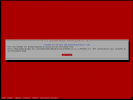
When trying to redo the boxes with older ISOs that I had I now get the below error
**Insert RED Screenshot here**
This is very weird as other instance that have been setup here are working fine without any issues.
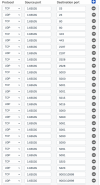
If I move a VM across onto this network with the same network details ie VLAN ID, IP Address, DNS and gateway I am able to get internet break out, and download the file, please see below.
**Insert Terminal Screenshot here**
So this rules out my network being the issues or the firewall rules not allowing it.
I get the same results for V20 & V18
I did notice someone on one of the 3CX forums stating that they were experiencing a similar issue where by clients details needed to be setup differently from the 3CX side.
I am trying to setup a 3cx instance.
When doing the restore we are getting the error that it could not reach the 3cx license servers.
I have tried to spin up a new V20 Box and an old V18 box and get the same errors.
When trying to redo the boxes with older ISOs that I had I now get the below error
**Insert RED Screenshot here**
This is very weird as other instance that have been setup here are working fine without any issues.
If I move a VM across onto this network with the same network details ie VLAN ID, IP Address, DNS and gateway I am able to get internet break out, and download the file, please see below.
**Insert Terminal Screenshot here**
So this rules out my network being the issues or the firewall rules not allowing it.
I get the same results for V20 & V18
I did notice someone on one of the 3CX forums stating that they were experiencing a similar issue where by clients details needed to be setup differently from the 3CX side.