Solved license_error.HttpsErr_InvalidResponseHeader

Status
Not open for further replies.

Gnomx

Free User
Joined
May 2, 2019
Messages
23
Reaction score
1
Hi there.
I've a problem with 3CX.
This works fine up to 3 days ago. So when I try to open browser in order to manage software i get registration page and when i try to insert license key i get this error : "
license_error.HttpsErr_InvalidResponseHeader ".

So i've tried to change DNS and restar servicies , but anything changed...
So any solution? Thanks.
 
HttpsErr_InvalidResponseHeader sounds like that you have an firewall with HTTPs inspection, as the PBX does not understand the expected answer from 3CX anymore... What firewall do you use?
 
We don't use any kind of firewall.
 
So anybody can Help me.... :(
I'm not using any kind of firewall or virus software.
Cheers
 
HttpsErr_InvalidResponseHeader sounds like that you have an firewall with HTTPs inspection, as the PBX does not understand the expected answer from 3CX anymore... What firewall do you use?
Your ISP may be using a firewall, have you run the firewall checker and if so did it pass?
 
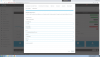
When i open 3cx by using browser , i get this page :

10492
 
So any body can hel me?? :(
 
the reasons are that you are on a non-activatable version, you must be on V15.5 SP6 at least, currently, you have a V15.0

here is a quick way to solve it: https://www.3cx.com/blog/news/pbx-upgrade-update-6/
So if i'm gonna install Update by using this Tool/guide , is there any possible data/config lost??
I must Shutdown software in order to uprade it??
Which path I have to extract archive??
Thanks.
 
Last edited:
You will not lose any data / config using the tools.

With all updates, make sure you have a valid backup of the 3cx system before doing the ipdate
 
You will not lose any data / config using the tools.

With all updates, make sure you have a valid backup of the 3cx system before doing the ipdate
I cant made any kind of backup , 'couse i cant use the management tools on browser !!!!!!
 
Did you setup schedule backups of the 3cx system, if so backups should be in the location you specified.

Not sure if your version has backup command line, you could check and run a backup if it does https://www.3cx.com/docs/backup-restore-command-line/
Did you setup schedule backups of the 3cx system, if so backups should be in the location you specified.

Not sure if your version has backup command line, you could check and run a backup if it does https://www.3cx.com/docs/backup-restore-command-line/
Hi dear.
I can't do Backup becouse I don't have a program "BackupCmd.exe" in this path : "C:\Program Files\3CX Phone System\Bin"

Ho can I do???!!!
 
You will not lose any data / config using the tools.

With all updates, make sure you have a valid backup of the 3cx system before doing the ipdate
I don't know where I have put theese files... Please help me on this...
 
Hi Gnomx,

The default location would be here: C:\ProgramData\3CX\Instance1\Data\Backups

Check to see if you made any backups and use the latest one
 
Hi Gnomx,

The default location would be here: C:\ProgramData\3CX\Instance1\Data\Backups

Check to see if you made any backups and use the latest one
Yes I have a backup inside this folder.
But i can't update it by using upgrading tool. It doesnt work
 
Hi Gnomx,

What happened when you ran the upgrade tool? Can you post a screenshot to show why it didn't work?

The correct way to do it is:
  1. Download the tool on the PBX server
  2. Right click and run it as administrator 3CX WinUpdater.exe
  3. Take a screenshot of the output

Important: Remember to take a copy of your backup file first and store in on another machine or drive
 
Hi Gnomx,

What happened when you ran the upgrade tool? Can you post a screenshot to show why it didn't work?

The correct way to do it is:
  1. Download the tool on the PBX server
  2. Right click and run it as administrator 3CX WinUpdater.exe
  3. Take a screenshot of the output
Important: Remember to take a copy of your backup file first and store in on another machine or drive
I got Update and now works like a charm :)
 
Great news, so your version should now be on 15.5.15502.6
 
  • Like
Reactions: Gnomx
Status
Not open for further replies.

Forum statistics

Threads
112,089
Messages
590,697
Members
165,056
Latest member
PANAMERICANAGLOBAL