- Joined
- Mar 12, 2022
- Messages
- 5
- Reaction score
- 5
Hi everyone,
I actually have a few issues with the plugin not allowing certain edits to take effect. But I will start with this one as its the most important for me.
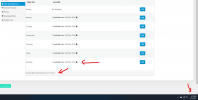
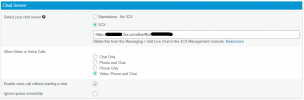
So the issue I am running into is I have added active chat hours using the WordPress plugin. Even if I am actively online in WordPress or in the 3cx App on my phone, it does not show that I am available for chats during these hours I have set. Even though, it clearly shows I am within the active hours.
I am grateful for any advice on how to get these changes to take effect. Thanks!
I actually have a few issues with the plugin not allowing certain edits to take effect. But I will start with this one as its the most important for me.
So the issue I am running into is I have added active chat hours using the WordPress plugin. Even if I am actively online in WordPress or in the 3cx App on my phone, it does not show that I am available for chats during these hours I have set. Even though, it clearly shows I am within the active hours.
I am grateful for any advice on how to get these changes to take effect. Thanks!