Live Chat is installed but not working

Status
Not open for further replies.

Bo Soileau

Silver Partner
Joined
Oct 17, 2017
Messages
8
Reaction score
0
Our website is with WordPress. I have the plug in installed and configured. I configured our PBX for Chat and Phone.
The bubble is there and asks for name and email but never opens a chat with the extension I have it configured for.
If I choose call, it never rings the extension and I cannot End the Call.
Please help.
 
Hello, Bo Soileau,
Most probably there is problem with livechat configuration on your side. Send me please screenshot of livechat configuration, I will check.
 
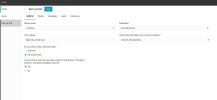
Ok, I assume you are referring to the 3CX configuration. There are several tabs in the Voice & Chat section. You want screenshots of all?
 
Here you go.
 

Attachments

  • 3cx Live Chat.jpg
    3cx Live Chat.jpg
    76.5 KB · Views: 30
Thank you, so you want to say, that when you write something in livechat on your web-site, extension 204 (Daisy Brown) doesn't receive anything?
 
That is correct. And if you choose the Call option, her phone does not ring.
 
And if you close the window that is trying to call. Then start new chat, it immediately starts calling again, before you select chat or call.
 
Try that again
 
Like this?
 

Attachments

  • 3cx Live Chat 2.jpg
    3cx Live Chat 2.jpg
    41.3 KB · Views: 20
Yes, this is it. Configuration is right. As we checked, it worked for me. Probably you have firewall on the machine you are using to check?
 
Yes, working. Tried from a couple of different machines. Just doesn't work from mine. We do not see their email address anywhere though. Where would that be?
 
Email exposes on the right sidebar, when you open chat in Webclient / Desktop App.


Installing Live Chat
​

I am using wordpree 6.1.1 version. My big problem is the 3CX Live Chat app Does not work. I had to make a link on my website Like this Chat or Call , Right now I have the app activated so when you click on it you can see what I'm talkin about. I spent endless hours and two accounts to try to... https://itelectrician.com
 
Hello wb@itelectrician. I tried livechat on your web-site. Looks like you didn't configure workhours or destination of livechat is not available (if user - he is in DND, if queue -- no one logged).
Which version of 3CX are you using?
 
I got so sick of it I'd remove the application before you looked at it. I can restore the application. and I did have office hours set up.
it's too bad because I really liked it.
 
Hello wb@itelectrician. I tried livechat on your web-site. Looks like you didn't configure workhours or destination of livechat is not available (if user - he is in DND, if queue -- no one logged).
Which version of 3CX are you using?
I Just restalled the app, I got so sick of it I'd remove the application before you looked at it. NOW the APP not working but URL looks like it works https://1179.3cx.cloud/callus/#LiveChat116743 Take another look
 
Status
Not open for further replies.

Forum statistics

Threads
112,149
Messages
590,964
Members
165,170
Latest member
SupportRock
