Live chat not showing on site. Not working at all...

Status
Not open for further replies.

CanCare

New User
Joined
Jan 31, 2024
Messages
3
Reaction score
0
Hi. The live chat box does not show up on the front end of my site I have followed all install instructions very closely - twice. Went through two accounts trying to get live chat to work to no avail. I tried to find where to white list the website as I found someone who posted this fixed their issue, but could not locate those settings - if that is even the issue... Would very much like to use this solution for live chat. Ive set the "office hours" properly. Ive installed the app on our iphone. Ive selected the chat to be live on all pages of the site. I deactivated the past chat solution used and deleted it... With such great reviews for this live chat solution, surely it can be made to work.

Any help would be much appreciated.
 
@CanCare
Are you using our WordPress Plugin or the HTML code for the live chat?
If you are using the HTML code, did you modify the provided code?

Can you check your console through dev tools and see if any conflicts or errors are coming up through the console? Try creating a new blank page and place the chat there and see if that works for you.

Also, try running the browser in incognito mode, as it is possible that the chat could be coming into conflict with a 3rd party addon or other modules installed on your web browser.

Lastly, you can white list your website by following the steps mentioned here: https://www.3cx.com/docs/allow-deny-ip-addresses/
 
  • Like
Reactions: GregG_3CX
@CanCare
Are you using our WordPress Plugin or the HTML code for the live chat?
If you are using the HTML code, did you modify the provided code?

Can you check your console through dev tools and see if any conflicts or errors are coming up through the console? Try creating a new blank page and place the chat there and see if that works for you.

Also, try running the browser in incognito mode, as it is possible that the chat could be coming into conflict with a 3rd party addon or other modules installed on your web browser.

Lastly, you can white list your website by following the steps mentioned here: https://www.3cx.com/docs/allow-deny-ip-addresses/
Hi There. Thank you for the reply. I am using the WorpPress 3CX Plugin. Live chat is the only functionality I am seeking to be made to work... Can the HTML code be used if im using the WP plugin? I assume not as the install guide states that the HTML code is for everything other than the WP plugin...

I have logged into the console and I swear I've clicked on every option possible but nothing leads me to the area where I can white list the site as per the link provided in your reply of (https://www.3cx.com/docs/allow-deny-ip-addresses/).
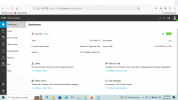
When I log in and hit admin in the bottom right - it literally says "admin console" in the top right. Through all confirmation emails Ive received in setting up accounts with 3CX, I have not been led to any other destination where I can access anything other. Am I logging into the wrong area somehow? Please advise. (Ive attached a screenshot.)

Can you provide exact instructions/links on how/where to access the area where I can whitelist the site. At this point I think thats what makes most sense as it seems to be blocked entirely as its not showing anywhere. Ive has friends check their phones, laptops etc to no avail... Also checked all of mine...

Looking forward to further instructions. Thank You.ScreenShot of Consol Logged in..png
 
Hello again. The saga continues... I was able to find that the live chat works on one page - the cart page. No others. I have all pages option selected in the wordpress 3CX plugin. My first thought is perhaps a sitemap issue...?

Any thoughts as to why the chat would only work on this one page and one page only? I am using Yoast SEO as the plugin to generate the sitemap - if this is even the issue - to which this line of thought may be way off base.

Any suggestions and help would be greatly appreciated.

Thank You in advance.
 
Hi @CanCare,

Since you are using a 3CX SMB key you will not find the option to whitelist your website since this is something available to 3CX Dedicated licenses (i.e. Pro/Enterprise).

Seeing as how the chat works on one of your pages, I would suggest checking your web tools console to see if any errors or conflicts are showing up causing the chat to not appear on your other pages.

Maybe try disabling some plugins or create a separate environment with just the chat and add plugins from there to see what could be causing this to happen.
 
  • Like
Reactions: GregG_3CX
It's cache! it's whats breaking on my wordpress.
 
Status
Not open for further replies.

Forum statistics

Threads
112,148
Messages
590,962
Members
165,168
Latest member
Stephan Eusebe