Solved Live Chat With 3CX Integration Requires Someone to be logged in to WordPress to work.

Status
Not open for further replies.

Clark-Ritchotte

Silver Partner
Basic Certified
Joined
Nov 9, 2020
Messages
43
Reaction score
16
I Installed the New plugin to use for our 3CX chat integration, but I noticed if no one is logged into the backend of the WordPress site it shows Chat as offline even though I have agents available in 3CX.
 
I Installed the New plugin to use for our 3CX chat integration, but I noticed if no one is logged into the backend of the WordPress site it shows Chat as offline even though I have agents available in 3CX.
Did you configure the plugin as 3CX Chat or Standalone?
 
Hello @MatthewC,

In case that you configure it with 3CX Integration, you have the following two cases:
  • Configure it with Extension Click2Talk: In that case if the extension set to status different Away, DND, Offline form will be shown.
  • Configure it with Queue Click2Talk: In that case the Queue Login status of the agents in that queue is considered. As a result if you have all agents logged out from queue then Offline form will be shown.
Hope this gives you an answer.
 
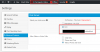
We are using the 3CX Integration and Click2Talk with a queue, we have 5 people available and logged into the queue. Once I log out of the WordPress site, then it shows as unavailable.
 
1605105995778.png

1605106113744.png
 
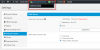
So i can manually Click offline and it switches to online showing my Wordpress account as the only agent online :( But when I log off of Wordpress it will give the offline message.
1605106510655.png
 
So i can manually Click offline and it switches to online showing my Wordpress account as the only agent online :( But when I log off of Wordpress it will give the offline message.
View attachment 19066
What Click2Call URL have you used? It has to be an extension or a queue.
 
So i can manually Click offline and it switches to online showing my Wordpress account as the only agent online :( But when I log off of Wordpress it will give the offline message.
View attachment 19066

The top area here is irrelevant to the 3CX Integration. Please do not use that one when you are connected to 3CX. This is something fixed in the upcoming version of the Live Chat.

Available or not on 3CX setting is defined only by the queue agents logged in status.
 
  • Like
Reactions: Evolute IT
I figured it out, our Clients were not on the Beta at the time, now it all works seamlessly.
 
Status
Not open for further replies.

Forum statistics

Threads
112,147
Messages
590,961
Members
165,167
Latest member
Finatra.us