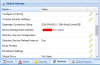
Local hosted Server serves with FQDN locally

Status
Not open for further replies.

Ashelis

Joined
May 27, 2019
Messages
13
Reaction score
0
Hello,
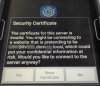
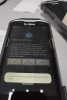
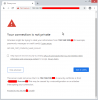
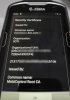
After installing 3CX into our locally hosted server, other applications and servers started to know that server with 3CX FQDN
I couldn't fire it out. I'd be glad if someone can assist me.

How can I revert this?


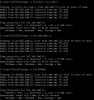
(I blurred some parts of screenshots but I don't know which parts are crucial)
Example:
Real Server Name: SRV.domain.local
Local Server IP: 192.168.100.YYY
Announced Server Name: CompanyName.3cx.com
 

Attachments

  • WhatsApp Image 2020-02-14 at 09.46.26.jpeg
    WhatsApp Image 2020-02-14 at 09.46.26.jpeg
    80 KB · Views: 13
  • WhatsApp Image 2020-02-14 at 09.46.26 (1).jpeg
    WhatsApp Image 2020-02-14 at 09.46.26 (1).jpeg
    71.6 KB · Views: 14
  • WhatsApp Image 2020-02-14 at 09.46.27.jpeg
    WhatsApp Image 2020-02-14 at 09.46.27.jpeg
    87.6 KB · Views: 12
  • Resim2.png
    Resim2.png
    34.2 KB · Views: 10
  • Resim3.png
    Resim3.png
    64.8 KB · Views: 11
  • mobicontrol1.png
    mobicontrol1.png
    23.6 KB · Views: 11
The 3cx pbx most likely has registered its name on the DNS Server, If you want to undo this, check the A entries in the DNS servers database. Using a split dns where inside the network the fqdn of the external name points to the internal ip resolves most of the problems with certificates, so I would recommend to keep it like that.
Still you have to live with the certificate errors, because you never will get a certificate for a ".local" domain, or a "192.168.x.y" domain with the exception if you run your own private certification authority. But even if you generate your own certificates I recommend to use the the split dns.
 
Status
Not open for further replies.

Latest Posts

Forum statistics

Threads
111,937
Messages
589,831
Members
164,818
Latest member
Guriqbal Singh