Mail Settings

Status
Not open for further replies.

Grad

Joined
Nov 11, 2015
Messages
11
Reaction score
0
Migrated working V14 settings over to V15. I also tried a New Install and entering new settings. I re-tried my settings for Charter. I tried settings for google, following instructions elsewhere from 3CX.

In every instance, Mail settings for my installs of V15 do not work. There is either no response, or a message saying there has been no response from SMTP.charter.net when I try the TEST button.

Suggestions?
 
Try the following
Make sure settings are entered correctly
Save
Go back to the page to ensure that settings are correctly displayed
Go to services and restart 3CX System Service.
Then it should work.

(SP2 will address this)
 
Thank you for your suggestions.
When I attempt to enter smtp.charter.net:25 the setting :25 will not stick. With every setting change I've tried various combinations of saving, browser clearing ,restarting services and resetting the computer.


My charter does not support SSL.
When I Check SSL, and TEST, I get this error message. "A connection attempt failed because the connected party did not properly respond after a period of time, or established connection failed because connected host has failed to respond 68.114.188.100:587"
When I clear the SSL box and TEST, I get this message. "The SMTP server does not support authentication."

I get either one of these messages with and without the :25 port setting.

I suppose I have spend about 10 hours trying to get this to work. Hopefully the next version of 3CX will have more informative error messages.
 
By stopping services, I was able to get this message delivered to my email Box.

3CX Service notification

Following service(s) were stopped recently:
3CXFAXSrv01 (192.168.1.150)
3CXIVR01 (192.168.1.150)

Learn how to get more out of 3CX at www.3cx.com

I assume this means my email settings work..

However I also discovered
I am not getting notifications for when a user (me) checks in and out of the management console
Not all stopped services generate an email message.
Using the TEST button still generates an error per previous post.

I wonder if other users are finding the same email responses..

Am looking forward to SP2..
 
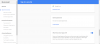
If you use Google as your mail server and you also have 2 step verification setup on your Google account you need to generate an app specific password.
Sign into Google
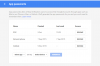
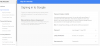
Google Apps - My Account - Sign In and Security - Password and Sign In Method - App Passwords.
Generate a password and enter it on the 3CX mail server settings.
Took me a good 30 minutes to realize this!
 
My Account still has it..
How does your account look like?
 

Attachments

  • image.png
    image.png
    78.5 KB · Views: 291
Make sure you are not using IE for management. I use Chrome and it works fine.

Chuck
 
Hi Nicky
Maybe you don't have 2 step turned on as I don't have the 'Allow access from less secure sites'.
 

Attachments

  • Capture1.PNG
    Capture1.PNG
    29.4 KB · Views: 257
  • Capture.PNG
    Capture.PNG
    70.7 KB · Views: 256
Hello,
Am testing the free version of 3CX. I have setup the gmail server - it sends the welcome email to someone with a gmail address, but not other domains. Please let me know how to resolve. Thank you.
 
If you access your gmail account can you send an email to those accounts? 3CX is just a relay so if you are able to send them a normal email you will also be able through 3CX. Check the spam folder in case the emails end up in there
 
If you access your gmail account can you send an email to those accounts? 3CX is just a relay so if you are able to send them a normal email you will also be able through 3CX. Check the spam folder in case the emails end up in there
Thanks for the reply. The domain based email I am testing I use everyday in business. I send and receive emails with it using gmail as the client, so I know that it works and is setup correctly. So that is ruled out, and I also checked my spam folder -- nothing there.

In my google account, I have 2 step authentication enabled so I had to setup an application specific password, which I did. I entered this password in the 3CX email setup. Like I said nothing arrives when I am sending the welcome email to a user with domain based address. however when sending to [email protected] it works, and the message is in my inbox literally in 1 second after sending it. Very confused, and I don't see any log I can check. Thanks.
 
Please note that 2 step authentication process does not work with 3CX. If you change the email address for notifications to a non gmail email address does the test work? As a test can you try a different gmail account which does not require 2 step authentication and let us know of that worked for you?
 
Status
Not open for further replies.

Members Online Now

Forum statistics

Threads
111,860
Messages
589,437
Members
164,700
Latest member
Apollo Cloud