Solved Menu screen sharing is empty

Status
Not open for further replies.

VSC

Forum User
Joined
Mar 16, 2020
Messages
110
Reaction score
14
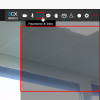
When I start a webmeeting using Chrome (Version 95.0.4638.54) I can not share my screen as the menu item appears empty. Whereas if I use Firefox all works as expected.
1635147288803.png

What can I do to get this working?
 
Add-Info: Another teammember who is using same version of Chrome can see the screensharing menu.
 
That probably makes me think that this is something to do with the browser itself.
Have you tried clearing all cache?
Possibly also uninstall Chrome, cleanup, then re-install?
 
  • Like
Reactions: Evolute IT and VSC
Thanks for your prompt reply. A complete deinstall including all browser data was helpful.
 
  • Like
Reactions: NickD_3CX
Glad to hear that helped! :)
 
Status
Not open for further replies.

Forum statistics

Threads
111,973
Messages
590,077
Members
164,896
Latest member
sameage