Microphone not working when Att. transfer | Softphone

Status
Not open for further replies.

Pelikan1337

Silver Partner
Basic Certified
Joined
Nov 8, 2021
Messages
6
Reaction score
0
Hello,

I've been using the Softphone for quite a while now.

All of a sudden I have the following problem tho:

- Customer calls
- I accept the call and talk to them (works fine)
- I "Att. transfer" the call to one of my my colleagues (works)
- Now I can hear my colleague but they can't hear me
- Ending the transfer and going back to Line 1 (Custommer can hear me just fine)


Any ideas?
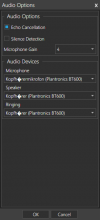
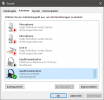
2021-11-12 09_08_35-3CX - 175 Lukas Bohn.png2021-11-12 09_08_53-Sound.png
 
yes, when I call them directly, they can hear me just fine.

  • 3CX Version: 16.0.5.612
  • Server OS: Windows Server 2016
  • Is the 3CX Server Hosted and where?: No host
  • IP Phone Make/Model/Firmware version, Yealing T54W (but using Softphone)
  • Provisioning Method: Local Lan in the office
  • Trunk Provider or VoIP Gateway Make/Model: Deutsche Telekom SIP-Trunk (NGN)
  • Has the Firewall Checker passed: yes
  • Are custom Phone Templates being used: no
 
Hi @Pelikan1337,

A few more clarifications:
  1. Is the extension you're attended transferring to, also local to the PBX?
  2. If you use the Web Client, does the same thing happen?
  3. If you both use Web Clients, does the same thing happen?
  4. Is it only your extension having this issue or all extensions?
 
Hi,

1. Yes
2. Yes
3. Yes, might be setup wrong though (We never use the Web Client, He didn't hear me nor did I hear him this time)
4. Only Mine
 
Since it's only happening on your extension,

Can you log in with your extension on a different PC, and try the attended transfer again, does the same thing happen?

Can you create a new extension, log in and test?
 
I just tried the Softphone on my Surface (Same extension) and there it works.

So it has to be a setting on my Main-PC.
 
Hi @Pelikan1337,

Can you try the test with new extension on the same PC.

Are you using any headset integration? If yes, can you disable it? Remove the headset altogether and try to use a built in mic.
 
On my Surface I used the same headset as on my PC.

I tried 2 different Headsets on my PC, works with neither of the two.
I also disaabled / uninstalled / unplugged them for testing
 
Hi @Pelikan1337,

It's good that you've been running these tests and I think we're slowly narrowing it down.

I would like you to try to create a new extension on your PBX and from the webclient on your PC, try the test again. Does it work on a new extension?
 
Last edited:
Status
Not open for further replies.

Forum statistics

Threads
112,349
Messages
592,027
Members
165,513
Latest member
megalmazan